
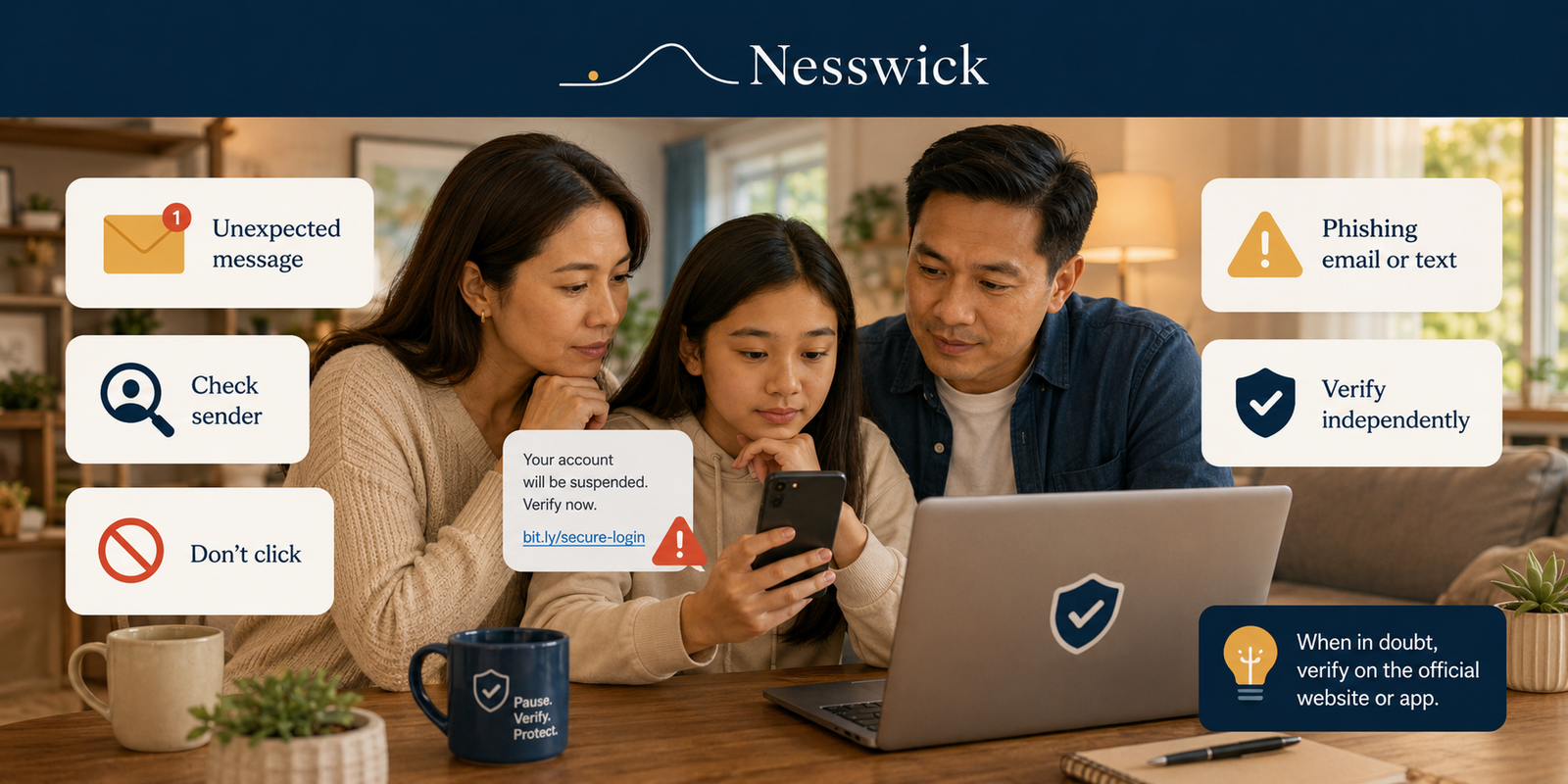
How to Spot a Phishing Email or Text Message
A message lands in your inbox or on your phone. It looks like your bank, a delivery company, a toll authority, or a streaming service. Something needs your attention, and there is a link to sort it out. Most messages like this are ordinary. A few are phishing: attempts to get you to hand over a password, a verification code, or a payment by pretending to be an organization you already trust.
The good news is that phishing attempts tend to repeat the same handful of patterns. Once you know what they are, you can usually tell within a few seconds whether a message is worth a second look — and there is one habit that protects you even when a message is convincing enough to slip past every warning sign.
Short Answer
The most common signs of phishing are unexpected contact, pressure to act quickly, and a request for a password, a verification code, or a payment. In email, check whether the sender’s actual address matches the organization’s real domain and where a link truly points. In a text message, be cautious about unfamiliar numbers, shortened or lookalike links, and delivery, toll, or account warnings you were not expecting. If anything feels off, do not use the link or phone number in the message — open the company’s official app or type its website address yourself and check from there.
What Phishing Is, in Plain English
Phishing is a message — by email, text, chat, or social media — built to look like it comes from someone you trust so that you act before you stop to think. It borrows a familiar name and logo, adds a reason to hurry, and points you toward a link, an attachment, or a reply.
The Federal Trade Commission describes phishing as scammers using email or text messages to try to steal passwords, account numbers, or Social Security numbers. Because it works on trust and timing rather than on breaking anything technical, recognizing it is genuinely the most useful skill you can build here.
When phishing arrives by text message, you may see it called smishing — a blend of “SMS” and “phishing.” It is the same idea delivered to your phone, and it is worth knowing the word because your phone carrier and some official guidance use it.
The Fastest Phishing Warning Signs
These apply to email and text alike, and they are the ones worth memorizing:
- You were not expecting the message. An unprompted alert about an account, a delivery, a payment, or a refund is worth checking before acting.
- It creates urgency. CISA points to “urgent or emotionally appealing language” — especially claims of serious consequences if you do not respond immediately — as a leading sign of phishing.
- It asks for a password, a verification code, or a payment. The FTC’s guidance on verification codes is unusually direct: anyone who asks you for your account verification code is a scammer.
- The link or sender does not quite match. A slightly-off domain, a shortened link, or an address that does not belong to the company can be a sign of phishing.
- The offer is too good to be true. Unexpected prizes, refunds, and rebates are a long-standing lure.
One older tip is worth retiring. Poor spelling and clumsy grammar used to be reliable tells, and they no longer are. Both CISA and current platform guidance note that AI-written messages can be polished and natural-sounding. A well-written message is not evidence that it is real.
How to Spot a Phishing Email
Email gives you more to inspect than a text message does, and the phishing email signs below take only seconds to check.
How to Tell If an Email Is Phishing: Six Quick Checks
Look at the real sender address, not the display name. The name shown at the top of a message is chosen by whoever sent it. Tap or click it to reveal the actual email address. Apple’s own guidance lists a sender address or phone number that does not match the company’s name as a warning sign, and Microsoft advises checking that the sender’s domain matches the organization — watching for near-misses such as a zero in place of an “o.”
Check the domain carefully. Lookalike domains are the classic trick: a swapped letter, an extra word, or a familiar brand name used as a subdomain of something unrelated. CISA gives “amazan.com” as an example of the pattern.
See where a link actually goes before you click it. On a computer, rest your cursor over the link without clicking and read the destination that appears. If the destination does not match the organization, that alone is reason to stop.
Be wary of unexpected attachments. A file you did not ask for — particularly an invoice, receipt, or “secure document” that wants you to log in — is worth leaving unopened until you have confirmed the message another way.
Notice a mismatched reply address. Some phishing emails display one address and route replies somewhere else entirely. If your mail app shows a reply-to that does not match the sender, treat it as a reason to check.
Take built-in warnings seriously. Outlook and Gmail both flag messages that fail sender authentication or look suspicious. Those banners are not proof of anything on their own, but they are a good prompt to slow down.
Generic greetings such as “Dear customer” are a mild signal — worth noticing, but not conclusive, since plenty of legitimate bulk email is impersonal too.
How to Spot a Phishing Text (Smishing)
A phishing text message strips away most of the detail you would inspect in an email, so the useful signals are different.
- Unexpected contact from a number you do not recognize. Scam texts often come from ordinary-looking mobile numbers, email-style addresses, or numbers from unfamiliar area codes.
- An urgent claim about a delivery, toll, payment, or account. The FTC lists fake package-delivery notices, invented account problems, and unreal prizes among the most common scam text patterns.
- A shortened or lookalike link. Because links are hard to inspect on a phone, scam texts lean on them heavily. A link you cannot read clearly is a reason to pause, not a reason to tap.
- A request to reply with sensitive information. The FTC notes that legitimate companies will not ask about your account by text.
- A request for a code you just received. A real one-time code is for you alone. Nobody legitimate needs you to read it back to them.
A worked example helps here. In 2024 the FBI’s Internet Crime Complaint Center warned about a wave of texts claiming a small unpaid road toll — often a figure like $12.51 — with a threat of a late fee and a link to a website impersonating a state toll service. Every element of that message is a template you will recognize elsewhere: a small, plausible amount, a deadline, and a link that does the work. The FBI’s advice was to avoid the link, check the toll operator’s real website or phone number, and delete the message.
QR codes deserve a brief mention. The FTC has warned that scammers send QR codes in unexpected texts and emails, and place their own codes over legitimate ones in public. A QR code is just a link you cannot read, so it earns the same caution as any other unexpected link.
Real-World Patterns Worth Recognizing
Most phishing is a variation on a short list:
- Delivery and package problems. A parcel is held, an address needs confirming, a small redelivery fee is due.
- Bank account and card alerts. A suspicious transaction you must “confirm” — sometimes followed by a phone call from someone claiming to be the fraud team.
- Account suspension warnings. A streaming, email, or shopping account will be closed unless you log in now.
- Payment and invoice notices. A receipt for something you did not buy, with a “cancel this order” link designed to make you click in a hurry.
- Government impersonation. Messages claiming to come from a tax, benefits, or law-enforcement agency, often demanding fast payment.
- Toll and traffic fines. The pattern the FBI flagged, still in wide circulation.
Noticing the shape of the message matters more than memorizing every brand a scammer might borrow.
How to Check a Link Without Clicking It
- On a computer: hover over the link and read the address shown at the bottom of the window or beside the cursor.
- On a phone: if the destination is not clearly visible, do not try to test the link from the message. Open the company’s official app or type the known website address yourself instead.
- Look at the actual website domain, not just a familiar brand name somewhere in the address. For example, in
secure-login.example-alerts.net/yourbank, the site belongs toexample-alerts.net— the word “yourbank” after the slash does not make it your bank’s website. - Treat unreadable links as unread. Shortened links and QR codes hide their destination by design. That is not proof of anything, but it is a reason to reach the company a different way.
How to Verify a Message Safely
This is the habit that does the heavy lifting, and it works even when a message is too well made to fail any of the checks above.
- Pause. Urgency is the pressure point. Nothing legitimate falls apart because you took two minutes.
- Check independently. Open the organization’s official app, or type its website address yourself. If you would rather call, use the number on your card, your statement, or the company’s official site — not the one in the message.
- Confirm, then act. If there is a genuine problem, it will be waiting for you inside your account. If there is nothing there, you have your answer.
Two household habits make this easier to keep up. Agree with your family that urgent messages about money or accounts never get acted on from the message itself — everyone opens the app or calls a known number instead. And agree that one-time codes are never shared with anyone, for any reason, including someone claiming to be from your bank. Both rules are simple enough to teach an older parent and a teenager in the same conversation.
If you would like a wider view of the patterns that tend to reach older relatives, our guide to common scams targeting seniors covers the phone and in-person versions of the same tactics.
What Legitimate Organizations Usually Do
Absolute rules are risky here, because real companies occasionally behave in ways that look odd. Still, some patterns are consistent enough to rely on:
- They generally do not ask for your password by email or text.
- They do not need you to read back a verification code.
- They will let you reach the same information by logging in yourself, rather than only through their link.
- They will not lose patience if you say you would prefer to call back on a number you look up.
That last point is a useful test in itself. Genuine support teams expect people to verify; pressure to stay on the line is itself a warning sign.
What to Do If You Already Clicked
If you tapped a link, opened an attachment, or replied, the calm order of operations is short.
- Close the page and enter nothing more. Clicking alone often does far less harm than filling in the form that follows.
- Change the password if you entered one — through the official app or website, not the link. If you reused that password elsewhere, change it there too. Our guide on what to do if your password is leaked walks through the order.
- Turn on two-factor authentication for the affected account if it is not on already.
- Contact your bank or card provider using the number on your card if you shared payment or bank account details, and ask them to watch the account.
- Update your device and run a security scan if you downloaded anything. The FTC recommends this step specifically.
- Watch the affected accounts for a few weeks for changes you did not make.
If money actually moved or personal information was used, our guide to what to do if you get scammed sets out the reporting and recovery steps in order. For identity misuse, the FTC’s IdentityTheft.gov builds a personalized recovery plan.
How to Report Phishing
Reporting takes under a minute and helps filters catch the next message.
- Phishing texts: forward the message to 7726 (SPAM), which alerts your mobile carrier, and use the “report junk” or “report spam” option in your messaging app.
- Phishing emails: use the built-in junk or phishing-reporting tools available in your email app. Phishing emails can also be forwarded to the Anti-Phishing Working Group at reportphishing@apwg.org.
- Either kind: the FTC accepts scam reports at ReportFraud.ftc.gov. If the message impersonated a toll operator or led to financial loss, the FBI takes reports at ic3.gov.
If you think you may want to report a message, take a screenshot before you delete it. Once the message is gone, the sender details usually go with it.
Frequently Asked Questions
What are the signs of a phishing email?
Unexpected contact, urgency, a sender address that does not match the organization’s real domain, a link that points somewhere unrelated, an attachment you did not ask for, and any request for a password, verification code, or payment.
What does a phishing email look like?
Usually ordinary. It copies a real company’s layout, logo, and tone, and the only visible clues are a sender address that does not match the company’s domain, a link that points somewhere unrelated, and a request to act quickly.
How can you tell if a text is phishing?
Look for an unfamiliar sender, an urgent claim about a delivery, toll, payment, or account, a shortened or lookalike link, and a request to reply with personal information or a code. Verify through the company’s official app or website rather than the link.
What should you do if you receive a suspicious message?
Do not click, reply, or call the number in the message. Check directly with the organization using its official app or a number you already trust, then report the message and delete it.
Can phishing texts look real?
Yes. Scam messages often copy a company’s wording, logos, and formatting closely, and AI tools have made the writing more polished. That is why verifying independently matters more than judging by appearance.
Should you click a link just to see if it is legitimate?
No. Both CISA and the FBI advise against opening links in suspicious messages. Reaching the organization yourself gives you the same answer without the risk.
What is smishing?
Smishing is phishing delivered by text message. The tactics are the same as email phishing, but the message is shorter and leans more heavily on a link you cannot easily inspect.
What if I already clicked a phishing link?
Close the page and enter nothing else. Change the password through the official site if you entered one, turn on two-factor authentication, contact your bank if payment details were shared, update your device and run a scan if you downloaded anything, and keep an eye on the affected accounts.
Is it dangerous just to open a phishing email?
Opening a message is usually far lower risk than clicking a link, entering details, or opening an attachment. If you opened one and did nothing else, report it and delete it.
Bottom Line
Phishing works on hurry, not on technical skill. Unexpected contact, pressure, and a request for a password, a code, or a payment are the three signals that cover most of what you will see. When something clears all the checks and still feels off, the independent-verification habit is the one that holds: close the message, open the app or type the address yourself, and find out from the source.


Affiliate Disclosure
Nesswick may earn a commission from some links on our site. This article contains no affiliate links, and nothing here depends on a purchase.
Sources and Methodology
This guide is research-based. It draws on current official guidance from the Federal Trade Commission, the Cybersecurity and Infrastructure Security Agency, the FBI’s Internet Crime Complaint Center, and the published security documentation of Apple, Google, and Microsoft. No product testing was performed for this article, and no third-party reviews were reproduced. Where we offer practical household habits — the pause-check-confirm routine and the family rules around codes and urgent money requests — that is Nesswick’s editorial judgement, presented separately from the official advice above.
- FTC — How To Recognize and Avoid Phishing Scams
- FTC — How To Recognize and Report Spam Text Messages
- FTC — What’s a verification code and why would someone ask me for it?
- FTC — Scammers hide harmful links in QR codes
- CISA — Recognize and Report Phishing
- FBI IC3 — Smishing Scam Regarding Debt for Road Toll Services
- Apple — Recognize and avoid phishing messages and other scams
- Google — Avoid and report phishing emails
- Microsoft — Protect yourself from phishing
Last reviewed: August 2026.