
Bark vs Qustodio: The Phone Your Child Has Decides This
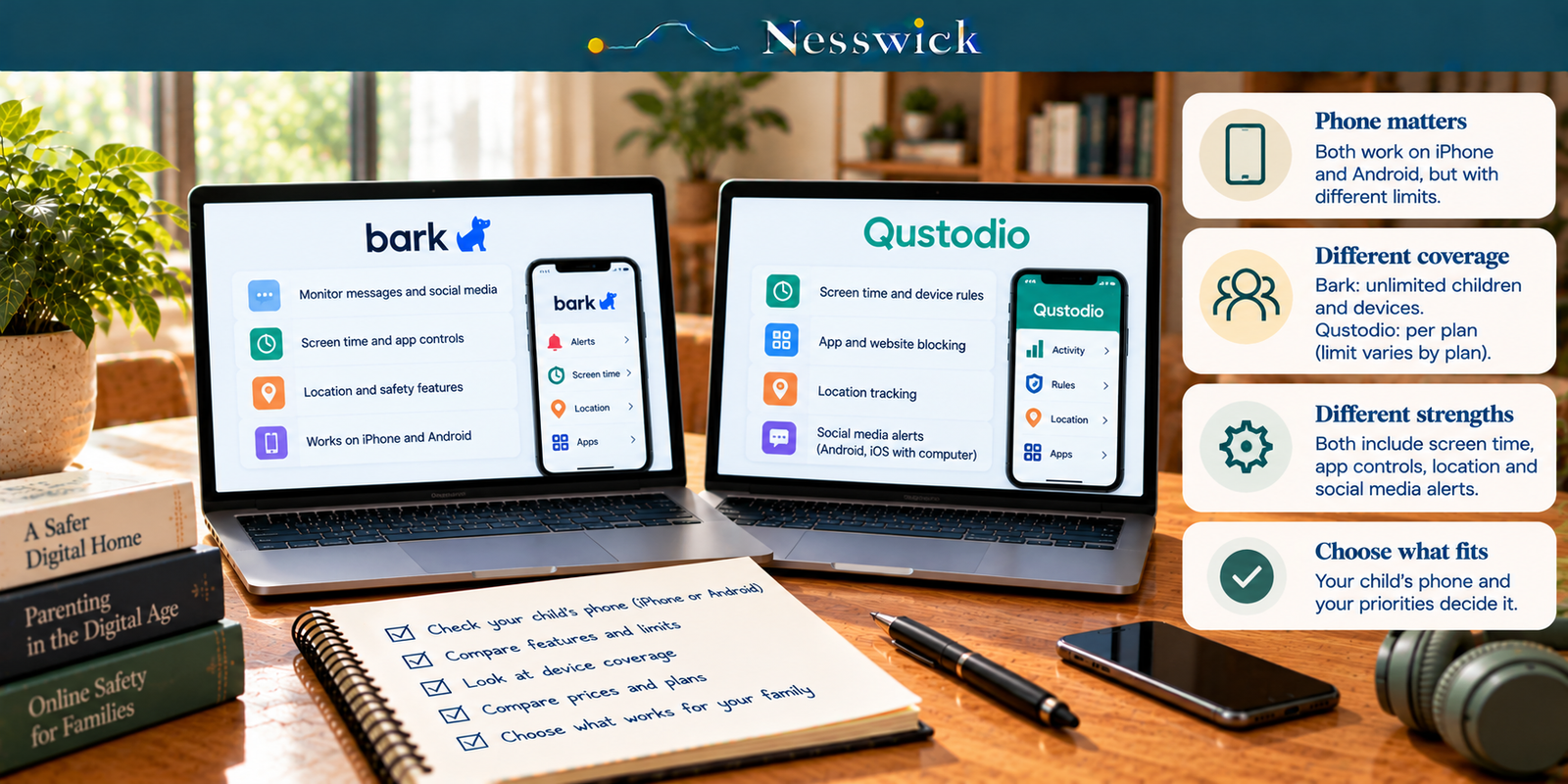
Bark and Qustodio both sell parental controls for iPhone and Android, but the experience is not identical across platforms. The useful comparison is not simply which service has the longer feature list. It is how each service handles the phone your child actually uses, whether a home computer or extra hardware is available, and how many devices your family needs to cover.
Nesswick has purchased neither subscription. This comparison uses the companies’ current U.S. product, pricing and support pages checked on October 23, 2026. It does not rank alert accuracy, filtering quality, reliability or support because those require hands-on testing.
The most important iPhone difference
Bark: Apple limits what third-party apps can read directly from an iPhone or iPad. Bark currently documents three ways to perform deeper iOS scans: Bark Sync, a home Windows/Mac computer running the Bark Desktop App, or Bark Home. Bark Sync is therefore optional, not mandatory. It costs $6 per month or $49 per year and requires a Bark App subscription.
Qustodio: calls and messages monitoring on iOS requires a Windows or Mac computer. Qustodio also says social monitoring is available on iOS with a computer. Its current iOS setup documentation specifically says that this setup can provide WhatsApp and LINE alerts.
Qustodio’s current pricing footnote separately says its Panic Button and Instagram, TikTok, Snapchat and X message alerts are Android-only. So the accurate conclusion is not that Qustodio social monitoring disappears on iPhone. Rather, the supported social services differ by platform and iOS requires a computer for the deeper calls/messages and social-monitoring setup.
What Bark currently includes
The Bark App currently costs $14 per month or $99 per year for iOS and Android. Bark says one subscription covers every child and device in the family, with no limit on accounts, devices or kids. It includes monitoring and alerts for social media, texts, email and web activity, screen-time management, website and app blocking, and live GPS/location alerts.
For deeper iPhone and iPad monitoring, Bark says the device can be scanned through Bark Sync, a home computer, or Bark Home. The computer and Bark Home routes can be interrupted by the child’s device passcode unless the child enters it when needed or the passcode is removed. Bark Sync is designed to make repeated scans more automatic when the device is plugged in.
What Qustodio currently includes
Qustodio currently sells Basic for $59.95 per year and Complete for $104.95 per year. Basic protects up to five devices. Complete covers unlimited family devices, subject to Qustodio’s family-use terms.
Qustodio’s current Premium page lists web filtering, games and app blocking, daily time limits, location monitoring, pause-internet controls, routines, activity reports and alerts. Complete adds the broader advanced feature set and includes Care Plus; Basic can add Care Plus for $12.99.
Qustodio also currently publishes a Free version that protects one device with basic protection features. That option should be considered before paying for Premium.
Android: fewer of Qustodio’s listed platform restrictions
Qustodio’s Panic Button is available on supported Android mobile phones and is not available on iOS. Qustodio also labels Instagram, TikTok, Snapchat and X chat alerts as Android-only on its current plan comparison. Calls and messages monitoring works on Android without the separate Windows/Mac requirement that applies to iOS.
Bark’s special deeper-scanning setup is specifically an iPhone/iPad issue in the current documentation. That does not mean every Bark feature works identically on every Android device or app; it means the Apple scanning workaround described above is not the Android setup.
Current annual-price comparison
| Option | Published annual price | Coverage note |
|---|---|---|
| Qustodio Free | $0 | 1 device; basic features |
| Qustodio Basic | $59.95/year | Up to 5 devices |
| Qustodio Complete | $104.95/year | Unlimited family devices* |
| Bark App | $99/year | Unlimited kids and devices |
| Bark App + Bark Sync | $148/year | Optional iOS scanning route; Sync is not required if another supported Bark scanning method is used |
*Qustodio says unlimited coverage is for family devices and not schools or businesses. Its terms also reserve the right to review accounts when 25 or more devices are added.
On subscription price alone, Qustodio Basic is less expensive than Bark for a family that fits within five devices. Bark’s $99 annual plan is $5.95 less than Qustodio Complete’s $104.95 annual price, while the services still differ substantially in features and platform behavior. Qustodio Basic and Complete do not offer identical feature sets.
Bark Sync should not be added automatically to every iPhone comparison. If a family chooses Sync, Bark App plus annual Sync is $148 per year. If the family uses Bark’s supported home-computer or Bark Home scanning route instead, the Sync fee does not apply.
Monitoring philosophy: the gap is smaller than it looks
Bark emphasizes content monitoring and alerts for potentially concerning activity, but it also includes screen-time management and website/app blocking. Qustodio emphasizes filtering, time limits, routines and activity visibility, while its current plans also include AI-powered alerts, social monitoring and calls/messages monitoring where supported.
So it is inaccurate to describe Bark as only an alerting product or Qustodio as only a blocking-and-scheduling product. Their emphasis differs, but their feature sets overlap.
Refunds and trials
Qustodio’s current refund policy gives customers who purchase directly from Qustodio 30 days to contact Support and request a refund. Purchases made through Apple or Google are handled by those stores for cancellation and refunds.
Bark currently advertises a seven-day free trial for the Bark App. Trial and checkout terms can change, so confirm the terms shown when subscribing.
How the decision actually resolves
If your child uses iPhone: first decide whether you have a Windows/Mac computer available. Qustodio needs one for calls/messages and iOS social monitoring. Bark can use a home computer, Bark Sync or Bark Home for deeper iOS scans. If you do not want a computer-dependent setup, Bark Sync provides a dedicated hardware route at additional cost.
If your child uses Android: Qustodio exposes more of the platform-specific features that its pricing page marks as Android-only, including the Panic Button and Instagram, TikTok, Snapchat and X chat alerts. Compare those needs against Bark’s broader monitoring-and-alert approach and household-wide pricing.
If price is the first constraint: Qustodio has a current free one-device option and its Basic plan costs less than Bark annually. For unlimited family-device coverage, Bark is currently $99 per year and Qustodio Complete is $104.95 per year, but compare the features you actually need rather than choosing on the $5.95 difference alone.
If you have a mixed iPhone/Android household: map the required features to each child’s phone before paying. Neither provider should be assumed to deliver identical monitoring on both platforms.
Start with the free controls already on the phone
Apple Screen Time and Google Family Link already provide useful parental controls at no additional charge. Before buying Bark or Qustodio, check whether built-in screen-time, app, content and family-management controls already cover your needs.
What documentation cannot settle
Nesswick has not installed or tested either product. This article therefore does not claim that one catches more concerning content, produces fewer false alerts, filters websites more accurately, is harder for a child to bypass, uses less battery, or provides better customer support.
No parental-control product guarantees a child’s safety. These tools work best alongside age-appropriate rules and regular conversations about online activity.


Affiliate Disclosure
Current relationship: Nesswick does not currently use affiliate links in this article. Product and service references are included for editorial purposes.
Sources and Methodology
This Research-Based Assessment was prepared without purchasing or installing either product. Prices, device limits and platform requirements were rechecked against current official Bark and Qustodio pages on October 23, 2026. Bark’s iOS scanning routes were verified against its current iPhone/iPad support documentation. Qustodio’s platform distinctions were verified against its current Premium comparison and current Android-vs-iOS and iOS calls/messages support pages. Provider marketing claims are not treated as independent performance evidence. Prices and platform support can change; confirm the final checkout and current compatibility before subscribing.
Last reviewed and verified: October 23, 2026.
Sources Referenced
- Bark – Products & Pricing
- Bark – Bark App
- Bark – Bark App for iOS
- Bark Support – How to set up monitoring on iPhone and iPad
- Qustodio – Premium
- Qustodio Help – What is the difference between Qustodio for Android and iPhone/iPad
- Qustodio Help – How do I set up calls & messages monitoring for iOS devices?
- Qustodio Help – What is Qustodio’s Panic Button?
- Qustodio Help – Refund Policy