

Best Identity Theft Protection for Seniors: A Buyer’s Guide
Worrying about an older parent’s safety online, or your own as you get older, is completely understandable — older adults are frequently targeted by identity thieves and scammers, and the cleanup can take real time and stress. But that worry is exactly what some marketing exploits, and fear is a poor basis for a decision. This guide takes a calmer approach to finding the best identity theft protection for seniors: what genuinely helps, what to do first for free, and how to choose a paid service if you decide you want one.
This is written for older adults and the family members who help them, primarily in the United States. Nesswick has not tested these services hands-on, so our guidance draws on official government sources and clearly attributed provider information. We name no single winner, because the right choice depends on the person. For the household-wide version of this topic, see our guide to identity theft protection for families, and for a broader look at this category, visit our Identity Protection guide.
Short Answer
The best identity theft protection for a senior is the combination that starts with free, high-impact steps — above all, freezing credit — and adds a monitoring service only if the person wants the extra alerts, reassurance, and restoration help. A credit freeze is free and can help prevent someone from opening new credit accounts in your name; a paid service adds monitoring and support on top of that, not instead of it. Choose a service that is simple to use and, for a senior, one where a trusted family member can stay involved if the person wishes.
What Identity Protection Can and Cannot Do
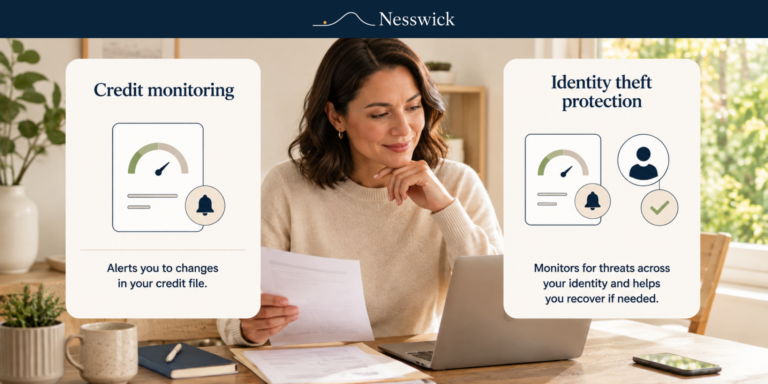
Identity-protection services monitor sources like credit files, the dark web, and public records for signs someone’s information is being misused, alert them, and often provide restoration help and an insurance policy with stated limits. For a senior, the monitoring and especially the restoration support — a caseworker to help untangle problems — can be genuinely reassuring.
What these services cannot do is prevent identity theft. Monitoring is detection: it can help you learn about a problem, ideally early, so you can respond. The single most effective preventive step is a credit freeze, which is free and can help prevent identity thieves from opening new credit accounts in your name. The government’s IdentityTheft.gov also provides a free, personalized recovery plan if something does go wrong. Understanding this keeps the decision grounded: for a senior, you are largely paying for earlier warning, help, and peace of mind, not for prevention that a free freeze already provides.
The Free Steps to Try First
For a senior, the free steps are not a lesser option — they are the foundation, and they address the biggest risks directly. Freezing credit with all three major bureaus is free and can help prevent someone from opening a new account in your name; it can be lifted temporarily whenever the person needs credit. Setting up a free fraud alert, reviewing credit reports at no cost, and checking whether their information has appeared in a data breach all add protection without any subscription.
Just as important for older adults are the everyday habits that stop scams before they start: being cautious with unexpected calls, texts, and emails, never sharing codes or passwords, and having a trusted family member to check with before acting on any urgent-sounding request. The Federal Trade Commission’s consumer-education resources for older adults cover many of these patterns in plain language. Reducing how much of their information is exposed online helps too — see our guide to data-removal services for families. For scam-specific awareness, see our Scam Protection guide.
What to Look for in Identity Protection for a Senior
If, after the free steps, you decide a paid service is worthwhile, a few things matter especially for older adults. Simplicity comes first: clear alerts, an easy-to-read dashboard, and straightforward setup matter more than a long feature list. Look at whether the provider offers a plan built for more than one adult, since that can make it easier for a trusted family member to stay involved alongside the senior, always with their knowledge and agreement, rather than assuming a single-user plan lets someone else quietly manage the account. If you are still weighing whether paying makes sense at all, our guide on whether identity theft protection is worth it walks through that decision in more detail.
Consider the restoration support, which is frequently the most valuable part for a senior, and read the insurance terms carefully, remembering reimbursement is offered “up to” a stated limit and subject to exclusions rather than guaranteed. Weigh multi-adult plans if you want to cover a parent alongside another family member, and check current pricing and availability, since these services are offered primarily in the United States.
Honest Options to Consider
Rather than crown a winner, it helps to understand the shapes on offer. Aura is often described as an all-in-one approach with a single, unified app, which can suit a senior who wants monitoring, alerts, and other protections in one place. LifeLock, part of Norton, is a long-established service with dedicated restoration specialists and tiered plans, and is frequently bundled with Norton security software.
Both are designed to detect and help you respond rather than prevent identity theft outright, both offer identity-theft insurance subject to plan terms and stated limits, and both are offered primarily in the US. The right fit depends on whether you value a single simple app or a long track record and dedicated restoration support, and on whether a family member will be involved. For more on Aura specifically, see our Aura overview.
Practical Advice for Families
Approach this with the older adult, not for them. Explain the free credit freeze and set it up together first, since it is the highest-impact step and costs nothing. If you add a paid service, choose one the person finds easy to understand, and — with their clear consent — arrange for a trusted family member to stay involved, because a monitoring service only helps if someone acts on what it flags.
Keep the tone calm and respectful of their independence; the goal is to protect them without making them feel surveilled or frightened. Combine any service with the everyday habits that prevent scams, and make sure they know they can always pause and check with a trusted family member before responding to anything urgent. If a password has ever turned up in a data breach, our guide on what to do if your password is leaked walks through the next steps.
Bottom Line
The best identity theft protection for a senior begins with free, high-impact steps — especially a credit freeze — and adds a monitoring service only if the person wants the extra alerts, reassurance, and restoration help. These services are built to detect and help you respond, not to prevent identity theft outright, and their insurance carries stated limits. Choose a simple, clear service, arrange trusted family involvement with consent, and keep the whole approach calm and respectful. No single service is best for everyone.
Frequently Asked Questions
What is the best identity theft protection for seniors?
There is no single best identity theft protection for seniors that fits everyone. Start by freezing credit with all three bureaus — free, and it can help prevent someone from opening new accounts in your name — then compare paid options such as Aura or LifeLock if you want added monitoring and support.
Do these services prevent identity theft?
No. They are designed to monitor for signs of trouble and help you respond. The strongest preventive step, a credit freeze, is free and separate from any paid plan.
Can a family member help manage the service for a parent?
Often, with the older adult’s consent — some providers offer plans built for more than one adult, which can make shared involvement easier. Always confirm the specific provider’s current features, and never manage an account without the person’s knowledge and agreement.
Are these services available outside the United States?
They are offered primarily in the US. Confirm availability and current pricing for your country directly with the provider before subscribing.
What if my parent finds the app confusing?
Choose the simplest option available and set it up together, or help with alerts only with their consent. Simplicity matters more than a long feature list, especially for a first-time user.


Related Resources

Affiliate Disclosure
Some links on this page may be affiliate links, which means Nesswick may earn a commission if you subscribe through them, at no extra cost to you. This never changes our editorial judgment, and we recommend free steps before any paid product whenever the free step is the right first action.
Sources and Methodology
This guide is based on current guidance from the Federal Trade Commission, IdentityTheft.gov, and the Consumer Financial Protection Bureau, official information about the three major credit bureaus — Equifax, Experian, and TransUnion — and official plan and feature information from Aura and LifeLock. Nesswick did not perform hands-on testing of these services, and no ranking or single winner is declared. It is written for readers in the United States. Plans, monitoring scope, insurance limits, pricing, and geographic availability change over time and should be confirmed on each provider’s official page before you decide.
Sources Referenced
- Federal Trade Commission – Credit Freezes and Fraud Alerts
- Federal Trade Commission – Pass It On (Scam Awareness for Older Adults)
- IdentityTheft.gov – Report Identity Theft and Get a Recovery Plan
- Consumer Financial Protection Bureau – Resources for Older Adults
- Experian – Security Freeze Center
- Aura – Official Plan and Feature Information
- LifeLock (Norton) – Official Plan and Feature Information