
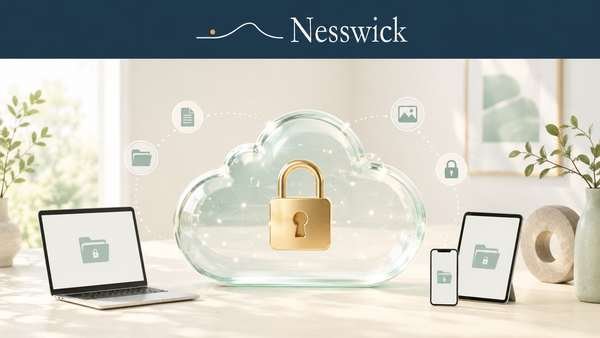
Best Encrypted Cloud Storage for Privacy
If you want your files to remain private and unreadable even to the storage provider, you need encrypted cloud storage, often described as zero-knowledge storage.
This category is filled with strong marketing claims. This guide explains what the encryption means, what it can and cannot protect, and how to choose a privacy-focused service without relying on exaggerated promises.
This guide is written for privacy-conscious families and non-technical readers. Nesswick has not tested these services hands-on. Our guidance is based on official product documentation and independent evidence.
We do not name one universal winner because the right choice depends on your privacy needs, budget, devices, and willingness to trade some convenience for greater control.
Short answer
The best encrypted cloud storage is a reputable zero-knowledge service with clearly documented security practices, suitable apps, reasonable pricing, and preferably independent security audits.
Zero-knowledge encryption generally means your files are encrypted on your device before they are uploaded. The provider should not possess the keys required to read them.
This provides meaningful privacy, but it does not make you anonymous or protect you from every risk. It also places more responsibility on you to protect your password and recovery information.
For many families, mainstream cloud storage is sufficient for everyday files. Encrypted cloud storage becomes more valuable for sensitive documents, financial records, identity paperwork, and other private information.
What zero-knowledge encryption really means
Several encryption terms are commonly mixed together in marketing. They describe different protections.
Encryption in transit
Encryption in transit protects your files while they travel between your device and the provider’s servers, usually through HTTPS and TLS.
It helps prevent someone from intercepting readable files while they are being transferred. It does not necessarily prevent the storage provider from accessing the files after they arrive.
Encryption at rest
Encryption at rest means files are stored in encrypted form on the provider’s servers.
This can protect data if physical storage hardware is stolen and may reduce the impact of certain breaches. However, if the provider controls the encryption keys, it may still be technically capable of decrypting the files.
End-to-end encryption
End-to-end encryption means files are encrypted before leaving your device and remain encrypted until they reach an authorized device or recipient.
The provider should not hold the keys required to read the file contents. The exact implementation varies, so users should review each provider’s technical documentation.
Zero-knowledge encryption
Zero-knowledge encryption describes a system designed so the provider does not know your encryption key and cannot read the contents of your stored files.
The terms zero-knowledge and end-to-end encryption are often used together, but they describe related aspects of the system rather than perfectly identical concepts.
End-to-end encryption describes where encryption and decryption occur. Zero-knowledge describes the provider’s inability to access the key or readable data.
What encrypted storage protects
Properly implemented zero-knowledge encryption can help protect file contents from:
- Unauthorized access to the provider’s servers
- Provider employees attempting to view stored files
- Certain types of data breaches
- Third parties requesting readable files from the provider when the provider does not possess the necessary keys
This protection is meaningful, but it has limits.
Encrypted cloud storage does not automatically:
- Make your identity or online activity anonymous
- Protect a file after you share an unencrypted copy
- Protect an infected or compromised device
- Prevent someone from accessing an account through a stolen password
- Replace two-factor authentication
- Replace independent backups
- Guarantee that a service has no security weaknesses
The provider may also retain some metadata, such as account information, billing details, login records, file sizes, timestamps, or IP addresses. The amount of metadata retained depends on the service and its technical design.
Free ways to try encrypted storage
Privacy and free storage are not mutually exclusive. Some encrypted cloud storage providers offer limited free plans.
A free plan can help you test:
- App usability
- Upload and download performance
- File organization
- Device compatibility
- Sharing controls
- Recovery procedures
You do not need to move your entire digital life immediately.
A practical first step is to place only your most sensitive files in encrypted storage. These might include:
- Identity documents
- Financial records
- Tax documents
- Private family records
- Legal documents
- Sensitive work files
Everyday photos, downloads, and non-sensitive documents can remain in a convenient mainstream service if that arrangement meets your needs.
For a broader comparison of free and paid storage, see Best Free Cloud Storage and When It’s Worth Paying.
What to look for in encrypted cloud storage
Marketing pages often use the word “encrypted” without explaining who controls the keys. Before choosing a service, confirm exactly how its encryption works.
Zero-knowledge protection
Check whether zero-knowledge encryption applies to all stored files or only to a special folder, paid feature, or optional add-on.
A service may use encryption in transit and at rest without providing zero-knowledge protection.
Independent security audits
An independent audit can provide useful evidence that qualified security professionals reviewed part of the service.
Check:
- Who performed the audit
- What systems were examined
- When the audit occurred
- Whether the full report or a useful summary is publicly available
- Whether the provider corrected identified problems
An audit is a point-in-time assessment. It is not a permanent guarantee of security.
Open-source applications
Open-source software allows outside researchers to inspect the published code.
This can improve transparency, but open-source status alone does not prove that a service is secure. The published code must still be reviewed, maintained, and connected correctly to the service users actually receive.
Account recovery
Strong encryption can limit the provider’s ability to recover your files.
Before uploading important documents, understand:
- What happens if you forget your password
- Whether a recovery phrase or recovery file is provided
- Whether account recovery affects encryption
- Whether another trusted person can help recover the account
- What information must be stored offline
If the provider cannot decrypt your files, it may be unable to restore them when the password and recovery information are lost.
Two-factor authentication
Choose a service that supports two-factor authentication.
Two-factor authentication cannot repair weak encryption, but it can help prevent someone with a stolen password from signing in to your account.
Sharing controls
Encrypted storage can become less private when files are shared.
Review whether the service supports:
- Password-protected links
- Link expiration
- Download restrictions
- Permission controls
- Access revocation
- Encrypted sharing with other users
Confirm whether shared files remain end-to-end encrypted and under what conditions.
Apps and device support
Privacy matters only if the service is practical enough to use consistently.
Check support for the devices in your household, including Windows, macOS, Android, iPhone, iPad, Linux, and web browsers.
Also consider automatic photo uploads, offline access, file versioning, syncing performance, and family or multi-user plans.
Provider jurisdiction
Some privacy-focused users consider the country where a provider is legally based.
Jurisdiction can affect legal requests and privacy obligations, but location alone does not prove that a service is private or secure. Technical design, encryption, transparency, and operational practices remain important.
Encrypted cloud storage options to consider
The following services take different approaches to privacy, usability, pricing, and account management.
Product features and plans can change. Verify current details through official provider documentation before subscribing.
Proton Drive
Proton Drive is part of Proton’s privacy-focused ecosystem and is based in Switzerland.
Proton states that files are protected with end-to-end encryption. Its applications are open source, and the company has published information about independent security audits.
Proton Drive may suit people who already use Proton Mail, Proton VPN, or other Proton services.
The main question is whether its storage tools and collaboration features meet your needs as well as more established mainstream platforms.
Sync.com
Sync.com is a Canadian cloud storage provider focused on zero-knowledge encryption and private file sharing.
It may suit users who want straightforward encrypted storage without joining a broader privacy ecosystem.
Before subscribing, review its current application support, collaboration tools, recovery process, and available independent security evidence.
Tresorit
Tresorit provides end-to-end encrypted storage for individuals and businesses.
It places significant emphasis on security, access controls, and business use. This may make it suitable for households or professionals handling sensitive files.
Its plans may be more expensive or complex than simpler consumer storage options. Confirm which features are included in the plan you are considering.
pCloud
pCloud offers regular cloud storage and an optional encrypted area commonly known as pCloud Encryption or the Crypto Folder.
Its standard storage should not automatically be treated as zero-knowledge storage. The stronger client-side encryption feature may require an additional paid option.
This distinction matters because a provider can advertise encryption while applying zero-knowledge protection only to selected files.
MEGA
MEGA offers encrypted cloud storage and publishes source code for its applications.
Security researchers disclosed cryptographic weaknesses affecting MEGA in 2022. MEGA responded and released fixes. This history does not automatically make the service unsafe today, but it demonstrates why independent research and continued updates matter.
Review MEGA’s current security documentation and recovery procedures before relying on it for sensitive files.
Icedrive
Icedrive offers encrypted storage features with a focus on a modern interface and consumer usability.
Its client-side encrypted area may be limited to certain paid plans or sections of the account. Confirm which files receive zero-knowledge protection before subscribing.
Internxt
Internxt is based in Spain and promotes end-to-end encrypted cloud storage.
The company publishes open-source applications and information about independent security reviews.
Users should still examine current app reliability, sharing features, account recovery, and plan terms before choosing it as their primary storage provider.
Filen
Filen is a Germany-based encrypted cloud storage service with open-source applications.
It may appeal to users seeking a privacy-focused provider with a relatively simple storage experience.
Before relying on it for important files, confirm current audit information, recovery procedures, app support, and long-term backup options.
Comparison of encrypted cloud storage services
| Service | Zero-knowledge by default? | Based in | Free plan | Security transparency |
|---|---|---|---|---|
| Proton Drive | Yes, according to the provider | Switzerland | Available | Open-source apps and published audit information |
| Sync.com | Yes, according to the provider | Canada | Available | Published security documentation; verify current audit status |
| Tresorit | Yes, according to the provider | Switzerland | Verify current availability | Security certifications and published documentation |
| pCloud | No, not for all standard storage | Switzerland | Available | Client-side encryption offered through a separate feature |
| MEGA | Yes, according to the provider | New Zealand | Available | Open-source apps and published responses to security research |
| Icedrive | Limited to eligible encrypted storage features | United Kingdom | Available | Verify current audit and source-code information |
| Internxt | Yes, according to the provider | Spain | Available | Open-source apps and published audit information |
| Filen | Yes, according to the provider | Germany | Available | Open-source apps; verify current independent audit status |
This table summarizes broad differences and should not replace current verification. Free storage limits, paid plans, security audits, and product features can change.
Audits, certifications, and open source
Not all security evidence measures the same thing.
A cryptographic audit may examine encryption design and implementation. A penetration test may look for exploitable weaknesses in applications or infrastructure. A certification such as ISO 27001 evaluates security management processes rather than proving that a specific encryption system has no weaknesses.
Open-source applications allow public inspection, but they do not guarantee that researchers have reviewed every part of the system.
Look for clear evidence explaining:
- What was examined
- Who performed the review
- When it was completed
- What problems were identified
- Whether the provider corrected those problems
Avoid treating a logo, certification badge, or old audit as permanent proof of security.
Practical advice for families
Most households do not need to move every file into a privacy-focused service.
Start by identifying the information that would cause genuine harm or distress if exposed. Place those files in encrypted storage and keep ordinary files where they are most convenient.
Before committing to a paid plan:
- Test the service with non-critical files.
- Install it on the devices your family uses.
- Confirm that uploads and downloads work correctly.
- Review the recovery process.
- Turn on two-factor authentication.
- Store recovery information somewhere safe.
- Download several files to confirm that they can be restored.
- Keep another backup of irreplaceable files.
Use a unique password for the storage account. A password manager can help, as explained in Best Password Managers for Families.
Do not store the only copy of your recovery key inside the encrypted account it is meant to recover.
Encrypted storage is not a complete backup
Encrypted cloud storage protects privacy, but it does not automatically provide a complete backup strategy.
Syncing can copy accidental deletions, damaged files, or unwanted changes across devices. Account suspension, billing problems, forgotten credentials, or provider failure can also affect access.
Keep at least one additional copy of irreplaceable files in another location, such as:
- An external drive
- A separate cloud provider
- A computer backup service
- Secure offline storage
The second copy should not depend on the same password, provider, or device.
Bottom line
The best encrypted cloud storage is a reputable service with properly documented zero-knowledge protection, practical applications, safe recovery options, and security claims supported by meaningful evidence.
Proton Drive may suit people who want a broader privacy ecosystem. Sync.com may appeal to users seeking straightforward private storage. Tresorit may fit people or businesses that need more advanced security and access controls.
Other services, including pCloud, MEGA, Icedrive, Internxt, and Filen, may also be suitable depending on how their current encryption, recovery, pricing, and app features match your needs.
Zero-knowledge encryption provides valuable privacy, but it does not guarantee anonymity or complete security. It also places more responsibility on you to protect passwords and recovery information.
For many families, the most practical approach is to keep everyday files in convenient storage and use encrypted cloud storage for the smaller group of files that genuinely require greater privacy.
Frequently asked questions
What is encrypted cloud storage?
Encrypted cloud storage protects files by converting them into unreadable data that requires a key to decrypt.
The strongest privacy-focused services encrypt files on the user’s device before uploading them and are designed so the provider cannot read the contents.
What does zero-knowledge encryption mean?
Zero-knowledge encryption means the provider is designed not to possess the information required to decrypt your stored files.
The exact implementation varies between services, so review the provider’s technical documentation rather than relying only on marketing language.
Are Google Drive and Dropbox zero-knowledge?
Google Drive and Dropbox encrypt files in transit and at rest, but their standard consumer services are not generally described as zero-knowledge because the providers manage the encryption keys.
You can encrypt sensitive files yourself before uploading them if you want stronger control over the keys.
Is iCloud zero-knowledge?
Standard iCloud protection does not provide end-to-end encryption for every data category.
Apple’s optional Advanced Data Protection expands end-to-end encryption to additional iCloud data categories. Availability and recovery responsibilities should be confirmed through current Apple documentation.
Can I encrypt files before uploading them?
Yes. You can encrypt files on your device before uploading them to a mainstream cloud storage service.
This can provide stronger privacy because the storage provider receives encrypted data. However, you must manage the encryption software, password, and recovery key yourself.
What happens if I forget my password?
The answer depends on the provider’s recovery design.
With properly implemented zero-knowledge encryption, the provider may be unable to restore your files if you lose both your password and recovery information.
Review and test the recovery process before storing important files.
Is encrypted cloud storage necessary for everyone?
No.
Mainstream cloud storage may be sufficient for ordinary files. Encrypted storage is more useful for sensitive documents or for users who do not want the provider to have technical access to file contents.
Do independent audits guarantee security?
No.
An independent audit is useful evidence, but it evaluates a particular system at a particular time. Software, infrastructure, and threats continue to change after the audit.

Related Resources
Affiliate Disclosure
Some links on this page may be affiliate links. Nesswick may earn a commission if you purchase through them, at no extra cost to you.
Affiliate relationships do not determine our editorial conclusions. We recommend free steps before paid products when the free option is the correct first action. This guide remains useful even if you never click an affiliate link.
Sources and Methodology
Nesswick did not conduct hands-on testing for this guide.
The article is based on official provider documentation, published security information, independent audits, certifications, and relevant security research.
Encryption models, audit histories, plans, free storage limits, prices, jurisdictions, and recovery features can change. Current details should be verified through official sources before publication.
Nesswick does not copy third-party reviews or present official product claims as independent findings. Where evidence is incomplete or subject to change, the article states the limitation rather than presenting uncertain information as fact.