
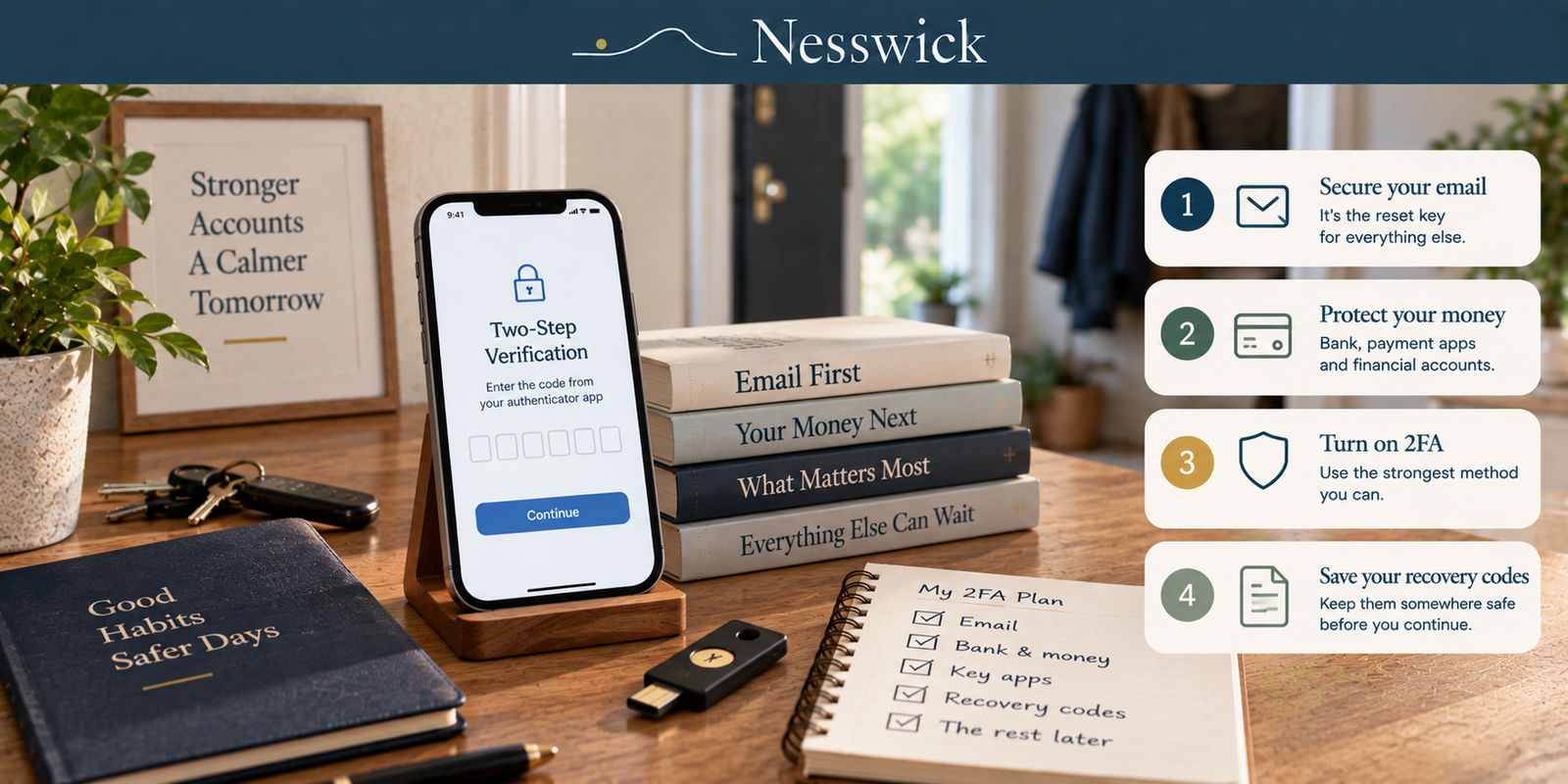
How to Turn On Two-Factor Authentication: The Order That Matters
Almost nobody turns this on everywhere. People turn it on somewhere, get bored, and stop - which is fine, as long as the somewhere is the right somewhere.
Two-factor authentication means a stolen password is not enough on its own. Someone also needs the second thing: a code, a tap, a key, your face. That is the whole idea, and it is a good one.
What follows is an order, a method table with sources behind it, and the honest limits.
Do this before you turn anything on
Set up the recovery route first. This is the step people skip, and it is the step that locks families out of their own accounts.
When a service offers you backup codes - usually eight or ten one-time strings - save them somewhere that does not depend on the phone you are about to make essential. A password manager works. A piece of paper in a drawer works. A screenshot in your camera roll does not, because the camera roll is on the phone.
Then ask the awkward question: if this phone fell in a river this afternoon, what would happen to this account? If the answer is “I would be locked out permanently,” you need a second factor on a second device, or codes on paper, before you continue.
For an older relative or a less confident family member, do the recovery step with them and write down where the codes live. Setting up the second factor takes five minutes. Recovering an account without a recovery route can take weeks.
Start with email, then money
Your email address is the reset route for nearly everything else. Somebody who controls it can request password resets on your other accounts and receive them. That makes it first, not because email is precious, but because it is the master key.
Then your bank and anything holding money - payment apps, brokerages, anywhere with a stored card.
Then the account that would be worst for you specifically if someone else read it. For most people that is a messaging app or a photo library, not a social network.
Everything else can wait for a rainy afternoon, and honestly may never happen. Three accounts done properly beats twenty done badly.
Which method to pick
There is an official answer to this, which is unusual for security advice. CISA - the US government’s cyber agency - publishes a table headed “MFA Forms, Strongest to Weakest.” Here it is, with CISA’s own notes on what each method survives.
| Rank | Method | CISA’s note |
|---|---|---|
| 1 | Phishing-resistant: FIDO/WebAuthn, or PKI-based | “Phishing-resistant MFA is the gold standard for MFA.” Resistant to phishing; push bombing, SS7 and SIM swap “are not applicable” |
| 2 | App-based: one-time code, or push with number matching | “Vulnerable to phishing attacks. Resistant to push bombing. SS7, and SIM swap attacks are not applicable” |
| 3 | App-based: push without number matching | “Vulnerable to push bombing attacks as well as user error” |
| 4 | SMS or voice | “Vulnerable to phishing, SS7, and SIM swap attacks.” Should “only be used as a last resort” |
Two things follow from reading it properly.
The gap between rows 1 and 2 is not about convenience. A code from an authenticator app is a real improvement on a text message, but it can still be phished: a convincing fake login page asks for the code, you type it, and the attacker uses it within the minute. A security key or passkey cannot be handed over that way, because it checks which website is asking. That is what “phishing-resistant” means, and it is why CISA puts a category boundary there rather than a step.
Row 4 is still a row. SMS is last, and CISA says last resort - but a text-message code on an account that currently has nothing is a straightforward improvement, and CISA also says plainly that “any MFA is better than no MFA.” Do not let the perfect method stop you turning on the available one.
What the standard actually says about text messages
You will read, often, that “NIST deprecated SMS.” It did not. The current guideline is NIST Special Publication 800-63B-4, published July 2025, which replaced the previous revision when that was formally withdrawn on 1 August 2025. Its position on sending codes over the phone network is that this is a restricted authenticator - permitted, with conditions. The document adds that NIST “may adjust the restricted status of out-of-band authentication using the PSTN based on the evolution of the threat landscape,” which is a standards body saying we are watching this.
“Restricted” comes with obligations on the service, not on you. A provider using it must “offer subscribers at least one alternative authenticator that is not restricted” and must “provide subscribers with meaningful notice regarding the restricted authenticator’s security risks.” So if a service offers you only SMS and nothing else, that service is out of step with the current federal guideline - which is useful to know when you are deciding how much of your life to keep there.
The method the standard does rule out is email. NIST’s wording is flat: “Email SHALL NOT be used for out-of-band authentication.” Codes sent to your inbox are not a second factor in any meaningful sense, because your inbox is usually protected by the same password the attacker already has. If a service offers email codes as its only option, treat that account as single-factor whatever the settings page calls it.
Where to actually click
Deliberately, this guide does not give you menu paths. Every provider moves them, and a guide full of stale click-throughs is worse than no guide.
The reliable route is the same everywhere: sign in on a computer, open your account’s security or password and security settings, and look for two-factor authentication, two-step verification, or login verification. They all mean the same thing. If you cannot find it, search the provider’s own help site for “two-factor” - their page will be current, and this one would not be.
When you are offered a choice, take the highest row on CISA’s table that the service supports and you will actually use daily. A method you turn off in a fortnight protects nothing.
What this does not stop
Worth being straight about, because the marketing around this is enthusiastic.
Two-factor authentication stops the most common attack there is - someone with your password from a breach, trying it on your accounts. CISA notes it “stops some of the common malicious cyber techniques, such as password spraying.”
It does not stop everything. CISA describes real cases where “the attacker asked for, and received, the employee’s username, password, and 6-digit MFA code” - a live phishing site relaying the code the moment it is typed. CISA’s own words: “these ‘MFA bypass’ attacks are not theoretical risks but are happening in the wild even against well-funded companies with excellent security staff.” That is the specific gap phishing-resistant methods close, and the reason CISA’s table has a top row.
And no authentication design protects against handing your credentials over on purpose. NIST says so in the introduction: the protections “are not intended to protect against willful disclosure of credential secrets by a subscriber.” Someone who talks you into reading out a code has not defeated the technology. CISA also says, on a page that carries no date, that using MFA makes an account “99% less likely to be hacked.” We quote it as CISA’s claim rather than as a measurement, because no study is cited alongside it.
Doing this for someone else
If you are setting this up for a parent, a grandparent or a child, three things make it stick.
Put the second factor on a device they already use every day. A security key in a drawer is not a second factor; it is a lost object waiting to happen.
Write down where the recovery codes are, on paper, in the place where that household keeps important paper. Not in a note on the phone.
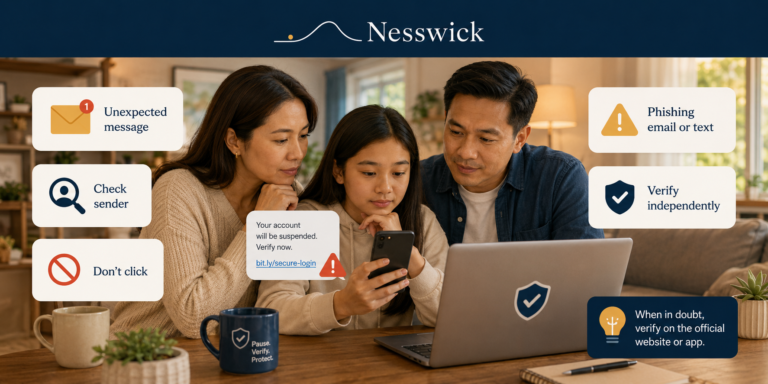
And tell them, in advance and in plain terms, that no real bank, shop or government office will ever phone and ask them to read out a code. The technology is not the weak point in that scenario; the phone call is. That one sentence prevents more account takeovers than the choice between rows 2 and 3 of the table.

Affiliate Disclosure
Current relationship: Nesswick does not currently use affiliate links in this article. Product and service references are included for editorial purposes.
Sources and Methodology
This is an official-documentation guide. No hands-on testing was performed. The method ranking is CISA’s published table, reproduced with its own vulnerability notes rather than paraphrased. The standards position comes from the current revision of NIST SP 800-63B, verified 11 September 2026 including its revision number and the withdrawal date of the previous revision.
We deliberately correct one widely repeated claim. Many guides state that NIST deprecated or banned SMS. The current text does not: it designates phone-network delivery a restricted authenticator, permitted subject to conditions, and reserves the right to revisit that. The “deprecated” story appears to descend from a 2016 draft of the earlier revision that was softened before publication, and we have not used it.
We give no per-service menu paths. Providers move them, and a guide that sends a reader to a screen that no longer exists is worse than one that teaches them where to look.
Three CISA pages cited here carry no visible publication date, including the page containing the “99% less likely to be hacked” figure. We attribute that figure to CISA rather than presenting it as a measured result, because no underlying study is cited on the page. Two further CISA documents could not be retrieved during verification and are not cited.
General information for US readers. No authentication method prevents every form of account compromise.
Last reviewed and verified: September 11, 2026.
Sources Referenced
- NIST - Special Publication 800-63B-4, Digital Identity Guidelines: Authentication and Authenticator Management, published July 2025, Final (csrc.nist.gov, pages.nist.gov), verified 11 September 2026
- NIST - withdrawal record for SP 800-63B (Rev 3), withdrawn 1 August 2025 (csrc.nist.gov)
- CISA - Implementing Phishing-Resistant MFA fact sheet, October 2022, including “Table 1: MFA Forms, Strongest to Weakest” (cisa.gov)
- CISA - More than a Password (cisa.gov/MFA), undated page, verified 11 September 2026
- CISA - Phishing Resistant MFA is Key to Peace of Mind (cisa.gov), undated page, verified 11 September 2026
- CISA - Multifactor Authentication (cisa.gov), undated page, verified 11 September 2026