
Social Media Safety for Teens: A Practical Guide for Parents
You can check every privacy setting and still feel like something is missing, because settings draw the boundaries but they do not do the talking. What actually keeps teenagers safer on social media over time is a mix of a few agreed-on rules, a light sense of what’s normal for them, and a relationship where they’ll tell you when something feels wrong. This guide walks through both halves: the practical settings and rules worth putting in place, and how to keep the conversation open enough that they’ll actually come to you.
Short Answer
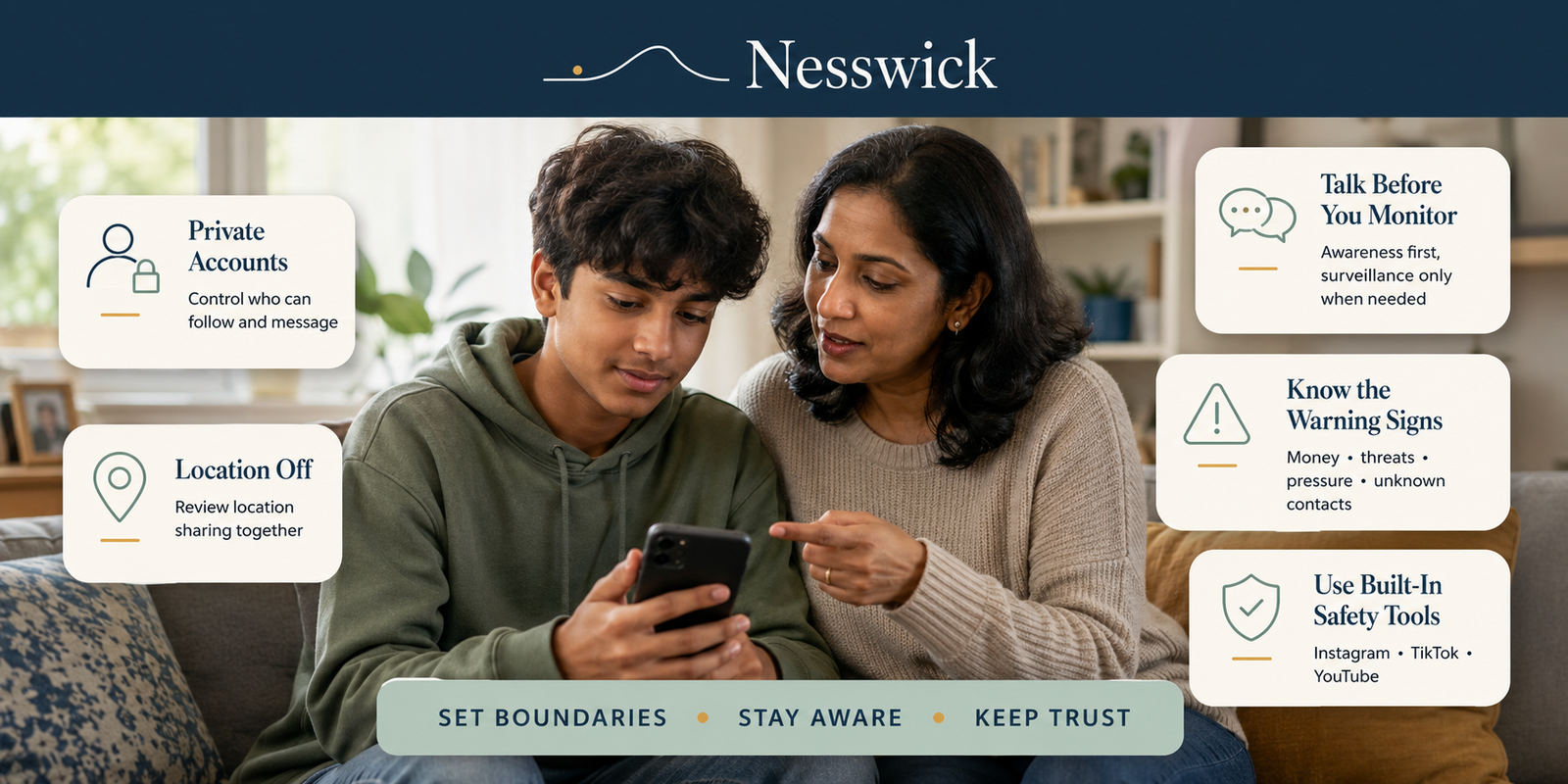
Start with a short list of rules you agree on together — private accounts, who they can accept as a follower, and a few boundaries around time and location sharing. Check the safety settings each major platform already offers for teen accounts, since most of the useful protection is already built in and free. Pay more attention to sudden changes in mood, secrecy, or new online relationships than to reading every message. Save closer, more direct monitoring for a specific concern rather than a default setting. And however a problem comes up, respond calmly enough that your teen tells you about the next one too.
What Parents Actually Need to Know
Every major platform now has stronger built-in protections for teens than it did even a couple of years ago, and most of them are free. Instagram automatically places teens into Teen Accounts, and teens under 16 need a parent’s permission to make the protections less strict. TikTok Family Pairing lets parents help manage privacy, messaging, screen-time, search, and interaction settings without giving them access to read the teen’s direct messages. YouTube’s supervised teen accounts let parents link accounts, see selected activity insights, and set digital-wellbeing controls such as break, bedtime, and Shorts time reminders.
None of that replaces the conversation, and none of it is designed to. The FTC’s guidance for parents frames it the same way: talking with your teen about your family’s expectations is what actually builds good habits, and the tools work alongside that, not instead of it. A teenager who knows the family’s few agreed rules and feels able to tell you when something goes wrong is protected in ways no setting can manage on its own — including on a friend’s phone, a new app you haven’t heard of yet, or a platform that changes its rules next year.
For more on how younger children fit into this, see age and maturity differences further down, and Nesswick’s parental controls hub for device-level setup guides.
Monitoring vs. Trust: The Difference
It helps to separate two things that get lumped together as “keeping an eye on” a teenager: general awareness, and direct monitoring.
Awareness means knowing roughly what’s normal for your teen — which apps they use, who their close online friends are, what a typical evening online looks like for them — without reading their messages. Direct monitoring means actually reading content: messages, posts, DMs, browsing history. Both can play a role, but they are not interchangeable, and reaching for the second by default tends to cost more than it buys.
Monitoring apps and settings can help reduce certain risks, and checking in on privacy settings together is reasonable at any age. But no tool and no amount of reading messages guarantees safety. Secretly monitoring everything can damage trust and may encourage a teen to move private conversations elsewhere, so it is usually better to reserve closer monitoring for a specific concern and be clear about why it is happening.
What to Watch For Without Reading Everything
You don’t need to read every message to notice when something has shifted. A few patterns are worth paying attention to:
- A sudden change in mood, sleep, or appetite that seems to track with phone use
- Secrecy about a specific new online contact, especially one they’re cagey about identifying
- Deleting message threads or browsing history more than usual, or a new app hidden from the home screen
- Reluctance to hand over their phone that feels different from normal teenage privacy
- New followers or friends you don’t recognize, especially if your teen seems uneasy about them
- Any mention, even in passing, of someone online asking for money, gift cards, or photos
None of these on their own means something is wrong — most have an ordinary explanation. They’re worth a low-key conversation, not an immediate search of the phone.
Social Media Rules to Agree on Together
Rules that a teenager helped set tend to hold up better than rules that were simply announced. A short, workable list beats a long one nobody follows. Common starting points:
- Accounts stay private, and new followers are people they actually know
- Location sharing is off by default, including the hidden location data in photos
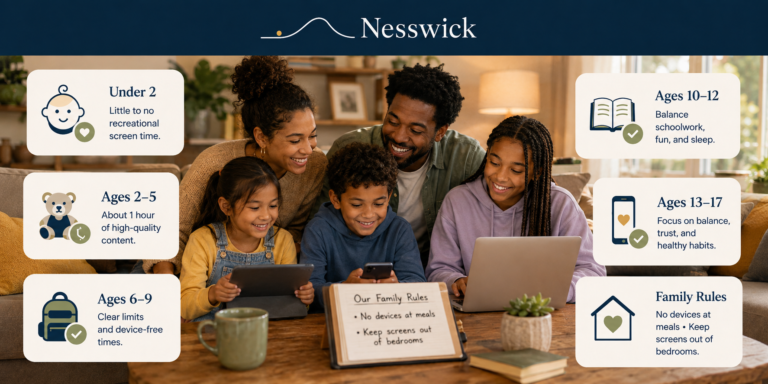
- Phones charge outside the bedroom overnight — this one is worth holding onto even as other rules loosen, and it’s easier to enforce if it applies to the adults in the house too
- A new app or platform gets a quick conversation before it gets downloaded
- No sending money, gift cards, or personal photos to someone they’ve only met online, even a “friend of a friend”
- If a stranger online asks to meet in person, that’s a conversation with you first, always
For age-based starting points on screen time itself, Nesswick’s recommended screen time by age guide covers how that side of the conversation tends to shift as kids get older.
Privacy Settings Worth Checking
Most of the effective protection here is already built into the platforms teens use, and it’s worth an occasional check together rather than a one-time setup you never revisit.
Instagram and Facebook. Instagram Teen Accounts are applied automatically to teens, with additional restrictions for younger teens; under-16s need a parent’s permission to make the protections less strict. Meta’s Family Center lets a parent see who their teen has messaged in the past week — not the content — and adjust some settings with the teen’s involvement.
TikTok. Family Pairing lets a parent view and help manage privacy choices, see general content categories their teen follows, and block specific accounts from interacting with their teen’s profile, without reading direct messages.
YouTube. A supervised teen account lets a parent link accounts, see selected activity insights, and manage digital-wellbeing controls such as break, bedtime, and Shorts time reminders.
Worth checking on any platform: whether the account is set to private, whether precise location is being shared in posts or stories, and who is allowed to tag or message directly. A ten-minute check-in together, framed as “let’s see what’s on by default,” tends to go over better than a surprise inspection.
Warning Signs That Need More Attention
A smaller set of signs is worth taking seriously enough to step in more directly, calmly and without shaming your teen for what happened to them:
- Sudden secrecy about money, gift cards, or a request to send either to someone online
- Any mention of someone threatening to share a photo or message unless paid or given more
- Signs of persistent bullying or harassment that isn’t resolving with blocking and reporting
- A teen who seems frightened of a specific online contact, or afraid to tell you something
On the first of these in particular, the FBI has published clear guidance on financially motivated sextortion, where someone poses online as a peer, quickly pushes for an image, and then threatens to share it unless paid. It targets teenagers of any gender, moves fast, and relies on shame and panic to keep a teen from telling an adult — which is exactly why a calm response matters more here than almost anywhere else. If explicit images of a minor have already been shared, NCMEC’s Take It Down is a free service that creates a hash of eligible explicit images or videos on the user’s device so participating public or unencrypted platforms can detect matching content; the image itself is not uploaded to NCMEC.
When More Direct Monitoring May Be Appropriate
Closer monitoring — reading messages, using a monitoring app, checking browsing history regularly — may be appropriate depending on your teen’s age, a specific incident that’s already happened, or a professional recommendation from a school counselor or therapist. It tends to work better as a proportionate, time-limited response to a named concern than as a permanent default, and it holds up better in the relationship when your teen knows it’s happening and understands why, rather than discovering it after the fact. For a first phone, or right after a serious incident, more oversight is reasonable; as trust rebuilds, most families loosen it again on purpose rather than leaving it in place indefinitely.
What Not to Do
- Don’t make secretly reading every message the default setting for a teenager with no specific concern
- Don’t punish your teen for telling you something went wrong — that’s the fastest way to make sure they don’t tell you the next time
- Don’t confiscate the phone as a first response to a disclosure; it can look like punishment for honesty rather than a safety step
- Don’t assume a parental control app or platform setting has solved the problem once it’s turned on
- Don’t dismiss a pattern of warning signs just because “teenagers need their privacy” — the two aren’t in conflict as often as they seem
How to Talk About Mistakes Without Losing Trust
However a problem surfaces — your teen tells you, you notice it yourself, or a school calls — the first few minutes of your response matter more than getting every rule right afterward. Staying calm and supportive rather than angry is what determines whether they come to you again next time. Reassure them that telling you was the right call, then work out the next step together: reporting or blocking an account, involving the platform, or in a more serious case, reporting to the FBI or using NCMEC’s Take It Down. None of that requires getting angry first, and none of it works as well if it starts that way.
Age and Maturity Differences
The right level of conversation and oversight shifts a lot between a nine-year-old’s first tablet and a seventeen-year-old with a part-time job and a phone plan of their own.
With young children, keep it simple: being kind online the same way they’d be kind in person, sticking to apps and shows you’ve agreed on together, and always telling a grown-up if something they see feels scary or confusing. Built-in device controls do most of the practical work at this age — see Nesswick’s parental controls hub for setup guides.
With tweens, the conversation widens to privacy and not sharing personal details, the fact that things posted online can be hard to take back, and that people online aren’t always who they say they are.
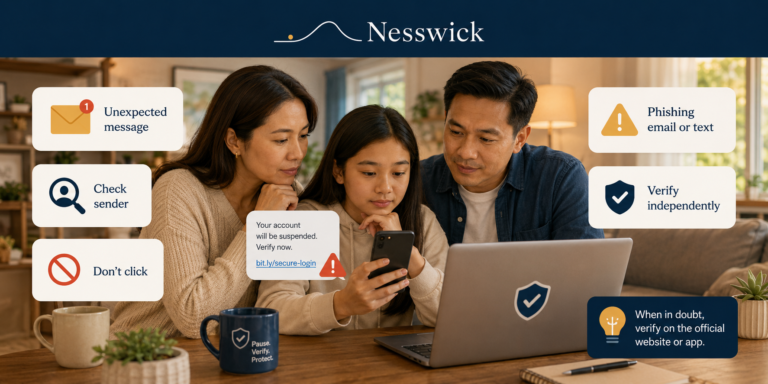
With teenagers, it becomes closer to a conversation between near-adults: reputation and the long life of a post, pressure and how to say no to it, scams aimed specifically at their age group, and — without dwelling on frightening detail — the fact that people sometimes try to manipulate or pressure teens online, and that telling you early is never something they’ll be in trouble for.
Frequently Asked Questions
How much privacy should a teenager have online?
More than a young child, and it should grow as they show they can handle it. A reasonable starting point is privacy from the general public — private accounts, no public location sharing — alongside a level of openness with you that’s based on trust rather than surveillance. Most families find it easier to loosen specific rules over time than to negotiate one fixed line that’s supposed to last for years.
Do parental controls replace the conversation?
No. Platform safety settings and monitoring tools can reduce specific risks and make certain conversations easier to have, but they don’t replace an ongoing relationship where your teen feels able to come to you. The two work best together.
What should I do if my teen tells me something happened online?
Stay calm rather than reacting with anger or immediately taking the phone away. Thank them for telling you, then figure out the next step together — blocking or reporting an account, contacting the platform, or in a more serious situation, reporting to the FBI or using NCMEC’s Take It Down tool.
Is a monitoring app necessary?
Not by default. Built-in platform tools (Instagram’s Teen Accounts, TikTok’s Family Pairing, YouTube’s supervised experience) cover a lot of ground for free. A dedicated monitoring app may be worth considering after a specific incident or for a first device, but it works better as a proportionate response than a permanent stand-in for conversation.
How do I talk to a teenager who doesn’t want to talk about this?
Keep it low-key and short rather than a formal sit-down, and lead with respect rather than rules. Teens tend to engage more when they’re treated like near-adults with something useful to contribute, not like a problem to be managed.
The Bottom Line
No setting, app, or single conversation guarantees a teenager’s safety online, and treating any one of them as if it does tends to create a false sense of security. What holds up over years is smaller and steadier: a handful of rules agreed on together, the free safety settings each platform already offers, enough awareness to notice when something’s off, and a calm response the first time something goes wrong so there’s a second time your teen tells you too.

Affiliate Disclosure
Some links on Nesswick are affiliate links, and we may earn a small commission if you buy through them at no extra cost to you. It never affects what we recommend. This guide does not name or rank any monitoring app or parental-control product, and none of the links above are affiliate links.
Sources and Methodology
This guide draws on official safety documentation from the platforms and agencies named throughout, including the FTC, the FBI, NCMEC, Meta, TikTok, and YouTube, alongside Nesswick’s editorial judgement about how to present that information calmly and usefully for parents. It involves no product testing, and no monitoring app or parental-control product is recommended, ranked, or implied to guarantee safety. Platform features change; settings and rollout details were current as of publication and are worth reconfirming on each platform directly.