
Bitwarden Review: What the Free Tier Really Includes
A research-based assessment. Nesswick has not subscribed to Bitwarden, and nothing below is written as though we had. Everything comes from Bitwarden’s own pricing page, help centre and open-source documentation, read on 22 September 2026.
Bitwarden has a reputation as the good free one. That reputation is deserved. It also comes with two widely repeated details that are wrong, and both of them matter if you are setting this up for a household.
The free tier, accurately
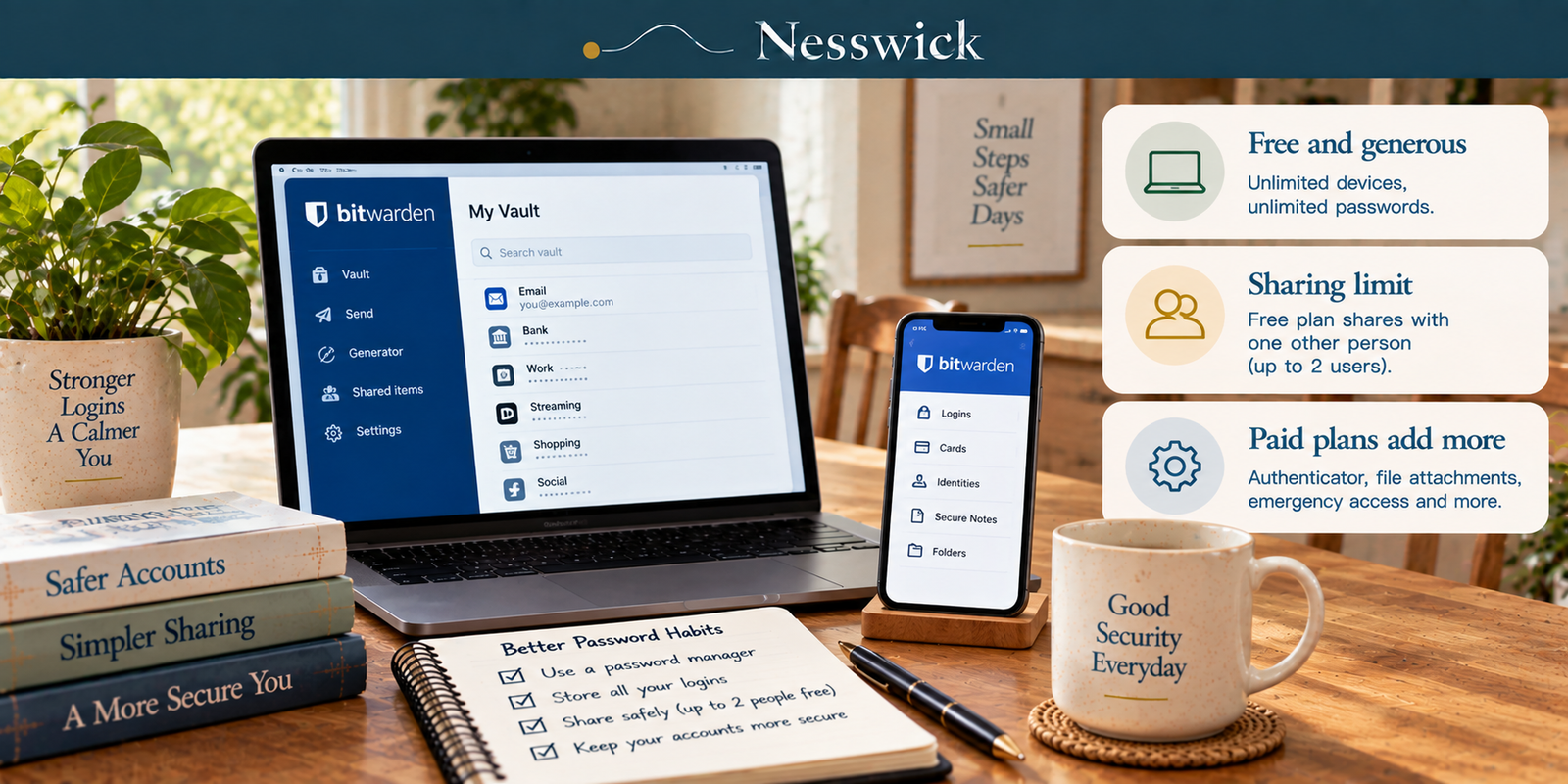
The genuinely generous part is real: “unlimited devices, unlimited passwords.” No cap on how many logins you store, no limit on how many devices sync them, which is exactly where several rival free tiers put their squeeze. Bitwarden’s own summary adds “unlimited storage of logins, notes, cards, and identities, access to Bitwarden on any device, a secure password generator.”
Now the part that gets misreported. Bitwarden’s pricing page says “free sharing with another user.” Singular. The help centre is more precise: “Free organizations allow two users to securely share in up to two collections.”
Two people. Two collections. That is the free sharing tier.
A couple can share the streaming login and the utility account and never pay anything. A household of four cannot. If you have read that Bitwarden’s free plan does family sharing, that is the sentence that got garbled somewhere and then repeated. It shares with one other person.
Whether that means you should pay, and whether Bitwarden’s free tier or another one is the right free tier, is a separate question we answer at length in our guide to the best free password manager and when to upgrade. This page is about what Bitwarden itself is.
Organizations and collections, which is not the usual vocabulary
Most password managers talk about shared vaults. Bitwarden does not, and the difference is worth ten seconds because the settings screens use Bitwarden’s words, not the industry’s.
An Organization is the container: “Organizations relate Bitwarden users and vault items together for secure sharing of logins, notes, cards, and identities.” A collection is the grouping inside it: “Collections are a way to associate and share items, similar to a shared folder. Items may belong to one or more collections.”
So sharing in Bitwarden means creating an organisation (even for two people, even on the free plan) and putting items in collections. Slightly more structure than a shared folder, and it is the thing people bounce off when they first try to share a password and cannot find the button.
What the paid tiers add
Premium, $1.65 a month billed annually at $19.80, adds “integrated authenticator – file attachments – emergency access – security reports and more.”
Families, $3.99 a month billed annually at $47.88, covers up to 6 users: “share private data between you and five friends or family members.” The signup button reads “Start Free Families Trial,” so expect a trial framing rather than an immediate charge.
The feature in that list worth pausing on is emergency access, and it is not on the free plan: “adding a trusted contact for emergency access is available to premium users, including members of paid organizations.” It lets you nominate someone who can request your vault if something happens to you, and it comes in two flavours: View, which gives “view/read access to all items in your individual vault, including login items’ passwords and attachments”, and Takeover, where the contact must “create a master password for permanent read/write access to your vault.” Requests are held for a wait time you set, and the invitation is “valid for only five days.”
For most households, that feature, not sharing, is the honest reason to move off free. It is the answer to a question nobody enjoys asking.
Passkeys, with the actual scope
Storing passkeys for other sites: yes. “Save passkeys in your Bitwarden vault and use the browser extension or mobile apps to autofill them,” with iOS 17 and Android 14 as the mobile floors.
Signing in to Bitwarden with a passkey: yes, with compatibility depending on the app, browser and device. Bitwarden’s current documentation supports passkey login in the web app and compatible browser extensions. Passwordless unlock also depends on a PRF-capable setup; where that requirement is not met, the master password may still be required.
A review that says “Bitwarden supports passkey login” without those compatibility qualifiers is incomplete. What a passkey is in the first place is its own subject.
The security record, read carefully
This is where Bitwarden’s reputation is strongest and where the detail is most often overstated. On the code. Bitwarden says “the source code for Bitwarden is hosted on GitHub and everyone is free to review, audit, and contribute,” and that it “maintains GPL compatibility in its development process.” Its contributor documentation describes a bitwarden_license directory “where Bitwarden-licensed code and contents go, otherwise it’s specified that GPL applies.”
So: mostly GPL, with a proprietary portion, and publicly readable. What Bitwarden does not publish anywhere we could find is which GPL version. Not on its open-source page, not in its help centre, not in its contributor docs. Reviews that state “GPLv3” or “AGPLv3” as a fact are supplying a detail the company does not. We are not going to join them.
And a point about what public code does and does not prove. It means anyone can inspect it. It does not mean anyone has, or that inspection would have caught a given flaw. Open source is a genuine transparency advantage and it is not a security guarantee, and we would say the same of any product.
On audits. Bitwarden lists nine third-party security assessments for 2025: Cure53 assessments of the browser extension and autofill overlay, core application, desktop application, RustCrypto crate, RustCrypto library and web vault; a cryptography report from the Applied Cryptography Group at ETH Zurich; a mobile app assessment by Unit 42; and a web app and network assessment by Fracture Labs – plus “SOC Type 2 and SOC 3 compliance.”
That is a substantial programme, and more independent scrutiny than most of this category publishes. One caveat for anyone checking: the page gives years, not dates. No month appears against any assessment, and as of today no 2026 audit is listed. Neither of those is alarming; both mean the transparency is a little less granular than the reputation suggests.
Self-hosting
Bitwarden is one of the few mainstream managers you can run yourself: “self-hosting Bitwarden is free, however some features must be unlocked in your self-hosted instance with a registered license file,” on modest hardware (“x64, 1.4GHz, Memory: 2GB RAM, Storage: 12GB”) with Docker.
For most families this is irrelevant, and we would not recommend it as a first move: you become responsible for backups, updates and uptime for the thing holding every password in the house. It matters as a structural point rather than a practical one. The option existing means you are not locked in, and that is worth something even if you never use it.
What we could not assess
We have not subscribed, so we make no judgment on:
- Autofill reliability on the sites your household uses
- How the mobile apps feel day to day
- Support responsiveness on a paid plan
- Whether the emergency access flow works smoothly when it is actually needed
- Whether the organisation-and-collections model confuses non-technical family members in practice, which is our main suspicion and not something documentation can settle
Who it suits
Bitwarden fits someone who wants a serious manager without a subscription and can live within the two-user sharing limit; a household that would use emergency access; anyone who values a published audit programme and readable source; and the technically inclined who like that self-hosting exists.
It fits less well if you need household sharing for four or five people and expected that free – you will be paying, and at $47.88 a year for six that is a reasonable price, but it is not free. If passkey login matters to you, check Bitwarden’s current compatibility for your browser, app and device before relying on it.
Three questions
Is the free plan really free? Yes, and without the usual device cap. The limit that catches people is sharing: two users, two collections. Password storage and device syncing remain unrestricted on the free tier.
Does open source make it safer? It makes it inspectable, which is a real advantage and is not the same claim. Bitwarden pairs it with a published third-party audit programme, and that combination is stronger evidence than either alone. Note that Bitwarden’s code is mostly, not entirely, open: there is a proprietary licensed portion, and the company does not publish which GPL version applies to the rest.
What happens to my vault if something happens to me? That is emergency access, and it is a paid feature. You nominate a trusted contact, set a wait time, and they can be granted read access or a full takeover. If that is the problem you are trying to solve, it is the reason to upgrade.


Related Resources
More than a Password
Affiliate Disclosure
Current relationship: Nesswick does not currently use affiliate links in this article. Product and service references are included for editorial purposes.
Sources and Methodology
This is a research-based assessment. Nesswick has not subscribed to Bitwarden. Every product fact comes from Bitwarden’s own pricing page, help centre or open-source documentation, read on 22 September 2026. No review site was used as a source of fact.
We correct two claims that circulate widely. Bitwarden’s free sharing is two users across two collections, in Bitwarden’s own words, not household sharing. And Bitwarden does not publish which version of the GPL applies to its code: its documentation states GPL compatibility and describes a separate proprietary licensed portion, but names no version anywhere we could find, so neither do we.
We also report the audit position at the granularity Bitwarden publishes it: years, without months, with nine assessments listed for 2025 and none yet listed for 2026.
We draw no head-to-head verdict against any competitor, and we do not claim that open source makes a product safer, only that it makes the code inspectable, which is a different and smaller claim.
Prices, tier limits and platform support are dynamic. Verify before subscribing.
Last reviewed and verified: September 22, 2026.
Sources Referenced
- Bitwarden – pricing page
- Bitwarden help centre – about Bitwarden plans, about organizations, emergency access, storing passkeys, log in and unlock with passkeys, is Bitwarden audited, licensing on premise, install on premise Linux
- Bitwarden – open source page and contributor template documentation
- Bitwarden – downloads and platform list
All verified 22 September 2026.