
How to Opt Out of Whitepages (Step by Step)
Whitepages is usually the first place a person’s name, address and phone number appear when somebody looks them up, so it is a sensible place to start. Removing your listing is free and takes a few minutes.
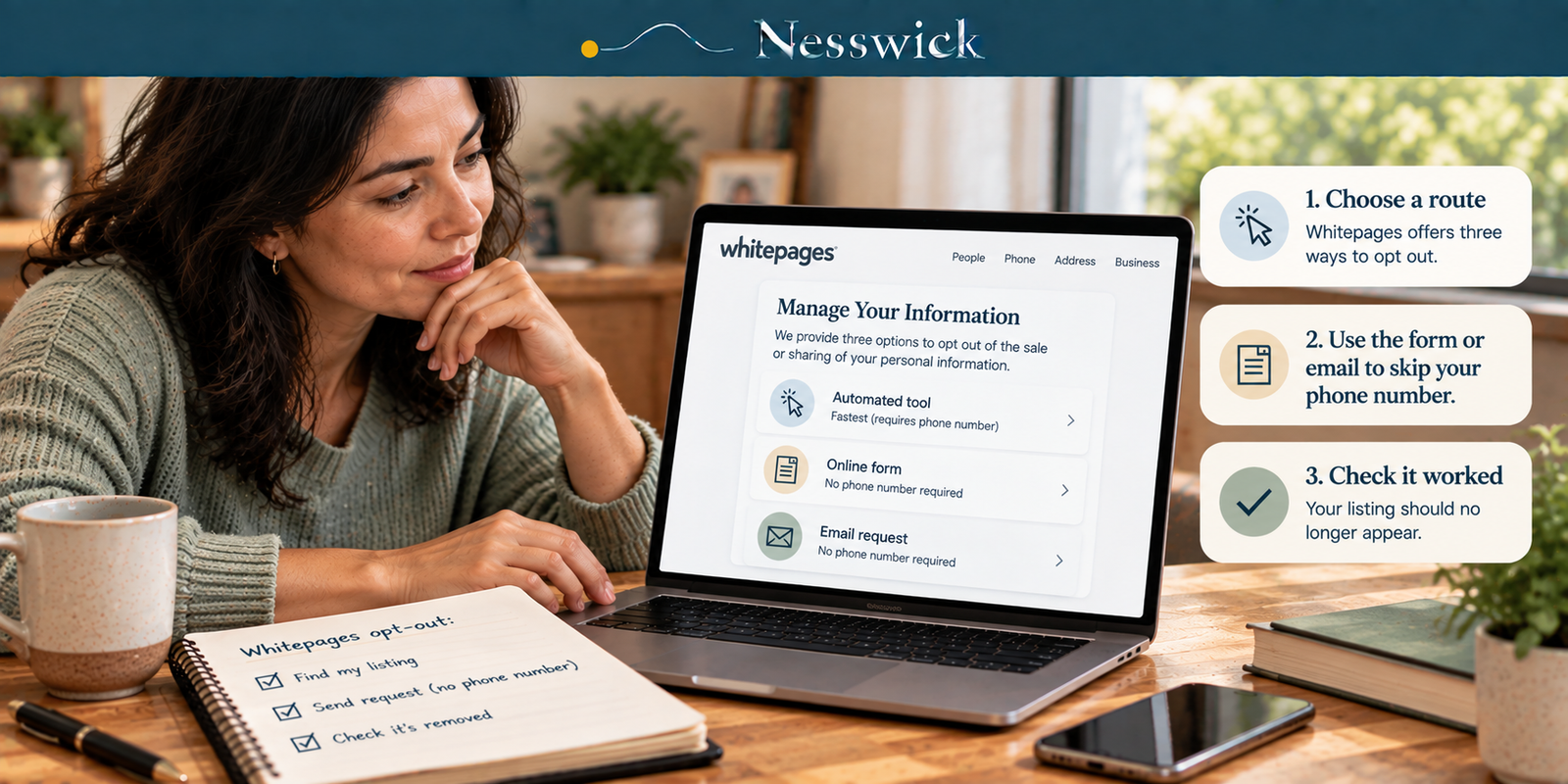
There is a choice to make first, though, and it is the reason this guide exists. Whitepages offers three ways to opt out. The fast one asks you for a phone number. The other two do not.
Almost every guide you will find describes the fast one.
Which route to use
Whitepages states it plainly on its own consumer-rights page: "We provide three options to opt out of the sale or sharing of your personal information", and you only need one of them.
The automated tool. You paste the URL of your listing and work through a short flow. Fastest, and Whitepages says it does two jobs at once: it opts you out of the sale and sharing of your information and takes the listing off the site. The catch, in Whitepages’ own words: "You will need to provide a phone number and agree to Whitepages' Terms of Service." The company adds that "The phone number will not be used for any purpose other than completing your opt-out request."
The online form, handled by a person. Whitepages asks you to allow up to two business days for a reply.
Email, to privacyrequest@whitepages.com. Same two-day expectation.
And then Whitepages gives you the sentence that no guide quotes: "If you would prefer not to provide a phone number or agree to Whitepages' Terms of Service, please submit a request to a customer service agent" using the form or email instead. So: if the idea of giving a people-search company a working phone number sits badly with you, you do not have to. That instinct is sound, the company itself supports it, and the cost is a two-day wait rather than a few minutes.
If you are dealing with a stalker, an abusive ex-partner or ongoing harassment, treat that as the deciding factor rather than a preference. Use the email route.
One thing that is true whichever way you go: "You do not have to create an account or make a purchase to submit an opt-out request."
Route one: opting out without giving a phone number
Email privacyrequest@whitepages.com, or use the online form on the same consumer-rights page. Either reaches a person.
Whitepages notes you "may need to provide additional information to a customer service agent so that your opt-out request may be processed", so make the first message complete enough to act on, and no more revealing than it needs to be.
Something like this works:
Subject: Opt-out and removal request
I am requesting that my listing be removed from Whitepages and that my personal information be opted out of sale and sharing.
Listing URL: [paste it here]
Name as it appears on the listing: [name]
City and state as they appear on the listing: [city, state]
I would prefer not to use the automated tool, as I do not wish to provide a phone number. Please confirm when the request has been processed.
That is our wording, not a form Whitepages prescribes, but it contains what an agent needs, and it deliberately gives them nothing else. Do not volunteer a date of birth, relatives’ names, or a phone number you were trying to avoid handing over.
If you are doing this for someone else (a parent, a partner), Whitepages says an agent acting on another person’s behalf "may need to provide written, signed permission". Get that in writing before you start rather than halfway through a thread.
Route two: the automated tool
If speed matters more, this is fine, just choose it deliberately.
You need your listing’s address first. Whitepages publishes the steps: go to whitepages.com, enter your name and city or state in the People Search filter, click the result that is you, and copy the URL from your browser’s address bar. Paste that into the opt-out tool. Then work through the screens and supply what each one asks for at the time. We are not going to narrate them: we have not submitted a request, and the fields change. What matters is the discipline: give only what the current step actually requires. You are not applying for anything.
Check that it worked
Wait a week or two, then search your name and city on Whitepages exactly as you did to find the listing. Use a private browsing window, or your own browser may show you a saved copy of yesterday’s page and you will draw the wrong conclusion.
On timing, Whitepages says of requests made under California’s privacy law: "CCPA opt-out requests may take up to 15 days to process but are often processed more quickly when feasible." Treat fifteen days as the outer edge of a reasonable wait.
Two pieces of good news about scope, both from Whitepages. "Once a listing is removed, all known connected listings are also removed", so you should not have to chase every variant of your name and old address separately. And the requester’s information "will not be sold by Whitepages in any capacity regardless of how/where the information was obtained."
If you find it again, or find another listing that is yours, Whitepages’ instruction is to go to a customer service agent via the form or email, not back to the automated tool. That is deliberate: a person can connect listings the tool did not.
What will not disappear
Some of it will stay, and it is worth knowing why rather than assuming the opt-out failed.
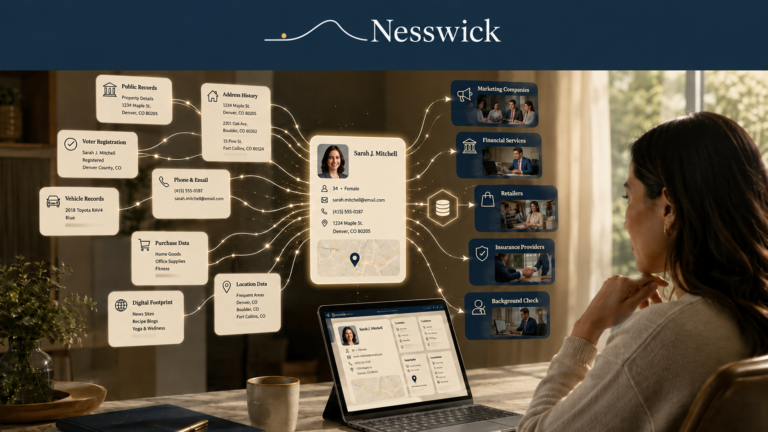
Whitepages’ own list of exceptions to deletion includes "Public information that is made available by government agencies, including property records, street address and criminal records." That is Whitepages describing where it draws its line, and it points at something broader: some property, court, voter and other government records may remain publicly available, depending on the record type and the state you live in.
Taking your listing down makes you much harder to find casually. It does not reach the records underneath, and no service or process can promise that.
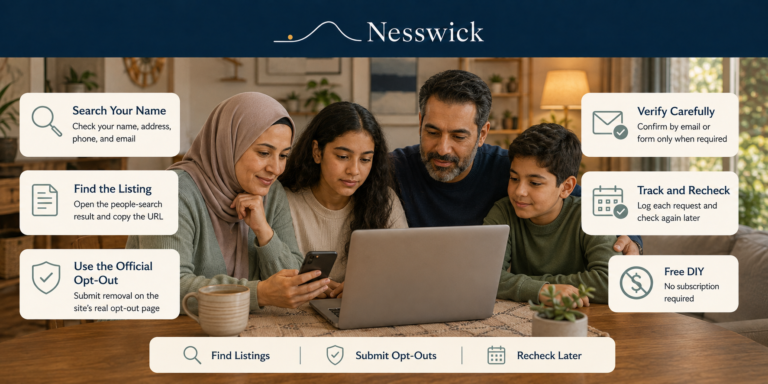
Californians have a shortcut worth using first. Since 2026, one request through the state’s Delete Request platform can reach every registered data broker, and where a broker matches you, California’s rules require it to delete the non-exempt personal information it holds about you: the state’s own description is that the broker "must delete all of your information on a rolling 45-day basis, subject to some exemptions." Send that, then come back and check whether the Whitepages listing has actually gone. If it is still there (the broker could not match your request, the data is exempt, or you simply want it down sooner), do the opt-out above as well. Our family checklist explains where the two fit together.
Write down what you did
This is the unglamorous step that decides whether the effort holds. Note the date you submitted, which route you used, and the date you confirmed the listing was gone. A line in a note on your phone is enough.
Listings come back: Whitepages re-collects from public records like every site in this category, so a name that vanished in March can reappear in September. In six months you will not remember whether you did Whitepages or only meant to, and the note is the difference between a two-minute re-check and starting over. Put a reminder in your calendar for three months out while you are thinking about it.
If you would rather not keep doing this by hand across dozens of sites, a data-removal service automates the submitting and the re-checking: we weigh that honestly in Data Removal Service vs. DIY: Is It Worth Paying?
Three loose ends
Do I really have to give Whitepages my phone number? No. Only the automated tool asks for one, and Whitepages explicitly offers the form and email routes to people who would rather not.
How long does it take? Whitepages says CCPA opt-out requests may take up to 15 days, often less. Agent-handled requests get a reply within about two business days.
Can I remove a relative's listing? You can act for someone else, but Whitepages says an agent may need signed written permission from the person concerned. Sort that out first.

Related Resources
Whitepages consumer privacy rights page
the official source for all three routes

Affiliate Disclosure
Current relationship: Nesswick does not currently use affiliate links in this article. Product and service references are included for editorial purposes.
Sources and Methodology
This is an official-documentation guide. No hands-on testing was performed: Nesswick did not submit an opt-out request to Whitepages. Everything procedural comes from Whitepages’ own current published pages, read directly in a browser on 3 September 2026.
Because we did not run the flow, we describe what Whitepages documents rather than narrating the tool’s screens. Where the company makes a statement about its own conduct (that a phone number is used only to complete the request, that connected listings are removed), we quote it as the company’s statement rather than as verified fact. The model email in this article is our own drafting. It is built from the information Whitepages says an agent may need, and it is written to give nothing beyond that. It is not a form Whitepages prescribes.
On public records, we quote Whitepages’ own stated exceptions and describe the wider position in qualified terms: availability depends on the record type and the jurisdiction, and we do not claim any category is uniformly public nationwide.
Whitepages blocks automated retrieval, so this page cannot be monitored by tooling: it must be re-read by hand. We do not guarantee complete or permanent removal, and we do not reproduce third-party content.
Last reviewed and verified: September 30, 2026
Sources Referenced
- Whitepages – "Consumer Privacy Rights" (page stamped "Last updated on June 22, 2026") and the opt-out tool at whitepages.com/suppression-requests, read in a browser 3 September 2026
- California Privacy Protection Agency – DROP regulations §7613 (cppa.ca.gov); consumer guidance at privacy.ca.gov/drop/ and DROP Data Broker Deletions, How Do They Work? (privacy.ca.gov), re-verified 3 September 2026