

What to Do If Your Password Is Leaked in a Data Breach
Introduction
Learning that one of your passwords has turned up in a data breach gives most people a small jolt of alarm. The good news is that a leaked or compromised password is a manageable problem, not a disaster, as long as you work through a short, sensible sequence rather than panicking or ignoring it.
This guide walks through that sequence step by step, so an exposed password becomes a chore you tick off rather than a crisis that hangs over you. For more on securing your accounts day to day, see our password guides.
What This Is and Why It Matters
A leaked password means that password, usually alongside an email address, has appeared in a dataset that was stolen or exposed from some service. On its own, that is a warning, not proof that anyone has actually gotten into your account. Exposure and confirmed access are two different things, and it is worth keeping that distinction in mind so you can respond calmly rather than assume the worst.
The danger multiplies only if you have reused that password elsewhere, because then one leak becomes a key to several doors. Attackers rely on this habit through a technique often called credential stuffing: they take known email-and-password pairs from one breach and try them automatically against other popular sites, hoping people reused the same login. That is why the response below focuses first on the leaked password itself, and then on anywhere else you used the same one.
What “Your Password Appeared in a Data Leak” Means
If your phone, browser or password manager warns that a password has appeared in a data leak, it means that password, usually paired with an email address or username, has turned up in credentials exposed in a breach somewhere. Your device is comparing what you have saved against those known datasets. It is a heads-up, not evidence that anyone has signed in to your account.
It is still worth acting on. Change the password on that account and replace it with one you do not use anywhere else. If you reused the same password elsewhere, change it on those accounts too, because they are the ones most likely to be tried next. Where the account offers two-factor authentication, switching it on means a stolen password on its own is no longer enough to sign in. The steps below cover all of this in order.
What to Do, Step by Step
Work through these steps in order. None of them require special technical skill, and most take just a few minutes each.
- Change the password on the affected account first.
- Change it everywhere else you used that same password. This is the step people skip, and it is the one that matters most.
- Turn on two-factor authentication for that account and your other important ones, so a known password is not enough on its own to get in.
- Check whether any of your other accounts have been exposed as well, using a reputable breach-check service.
- Keep an eye on the email account linked to the leaked account for anything unexpected, such as password-reset emails you did not request.
- If you suspect the device you are using might be infected with malware, change your passwords from a different device you trust is clean, so you are not simply handing over the new ones too.
- If this leak was your prompt to finally deal with reused passwords, set up a password manager so every account gets its own unique password.
A password manager makes step two far easier, since a good one can show you exactly where passwords are repeated instead of leaving you to remember on your own. If you do not have one yet, our guide to the best free password manager and when to upgrade is a reasonable place to start.
Two-factor authentication is worth turning on wherever it is offered, but it is a strong safeguard rather than a guarantee. It significantly raises the effort required to break in, though it does not make an account completely unreachable in every scenario, so it is not a reason to skip changing a known-exposed password.
For checking other accounts, a well-known option is Have I Been Pwned, which lets you check an email address against known breaches, and separately lets you check a password using a privacy-preserving method: it hashes the password on your device and only sends a small portion of that hash to the service, so your actual password is never transmitted. That is a reasonable way to check safely rather than typing a live password into an unfamiliar tool.
What to Expect, and the Honest Limits
Acting quickly reduces the damage, but it cannot guarantee that no misuse occurred before you acted. That is simply the nature of breaches: by the time most people find out, the data has already been out there for a while. Some exposure may already have happened, so it is worth watching the affected accounts for a time after you have made these changes.
A password manager helps prevent this particular pattern from repeating by making it easier to use a unique password for every account, but it does not prevent every future breach; a service you use could still be compromised on its end. What a password manager does is make sure one leak stays contained to one place instead of spreading to everything else you use.
Work through the steps once, calmly, and you have done what the situation actually calls for.
When a Paid Option Is Worth It
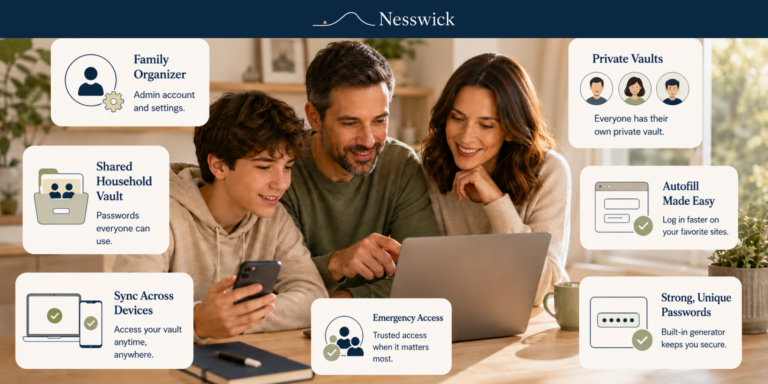
The single change that makes unique passwords sustainable across a whole family is a password manager, and a paid family plan can be worth it for shared vaults, emergency access, and easier day-to-day management. If you need to hand off or share specific logins with people you trust, see our guide on how to share passwords safely with family.
That said, a capable free manager already does the core job well for most people, so cost is rarely the real barrier. Adopting a manager at all, free or paid, is the part that actually matters.
Frequently Asked Questions
Does a leaked password mean someone is in my account?
Not necessarily. It means the password was exposed in a dataset, which is a warning to act. The real danger comes if you reused that password on other accounts, since that is what turns exposure into actual access elsewhere.
What does it mean for a password to be compromised?
It means that password has appeared in a breach dataset or is otherwise known to have been exposed, usually alongside the email or username it was paired with. It is treated as unsafe to keep using from that point on, whether or not it has been misused yet.
What is the first thing I should do?
Change the affected password, then change it everywhere else you used that same one. Reuse is what turns a single leak into several break-ins, so the second step matters as much as the first.
Should I change passwords from the same device I normally use?
If you suspect that device could be infected with malware, change your passwords from a different device you trust is clean instead. Otherwise you risk exposing the new passwords the same way the old ones were exposed.
Does two-factor authentication make my account completely safe?
No. It makes an account much harder to access with just a password, which is genuinely valuable, but it is not an absolute guarantee against every method of compromise. It is a strong layer, not a finish line.
How do I stop this from happening again?
Use a password manager so every account has its own unique password. Then a single future leak stays contained to one account instead of spreading across everything else you use.


Related Resources

Affiliate Disclosure
Some of the password managers we mention are products we may earn a commission from if you sign up through our links, at no extra cost to you. It never changes this guide: every step above is free and works with any reputable manager, including free ones.
Sources and Methodology
This guide draws on breach-response guidance from the Federal Trade Commission and IdentityTheft.gov, password and multifactor-authentication guidance from CISA, and the official documentation for Have I Been Pwned’s breach and password-checking services. Nesswick did not perform hands-on testing for this guide; see our How We Test page for our general editorial approach. Steps reflect current official guidance rather than product testing.
Official sources referenced:
- IdentityTheft.gov – What To Do if Your Information Was Lost or Stolen, or Part of a Data Breach
- FTC Consumer Advice – Creating Strong Passwords and Other Ways To Protect Your Accounts
- FTC Consumer Advice – How To Recover Your Hacked Email or Social Media Account
- CISA – Use Strong Passwords
- Have I Been Pwned – Pwned Passwords