
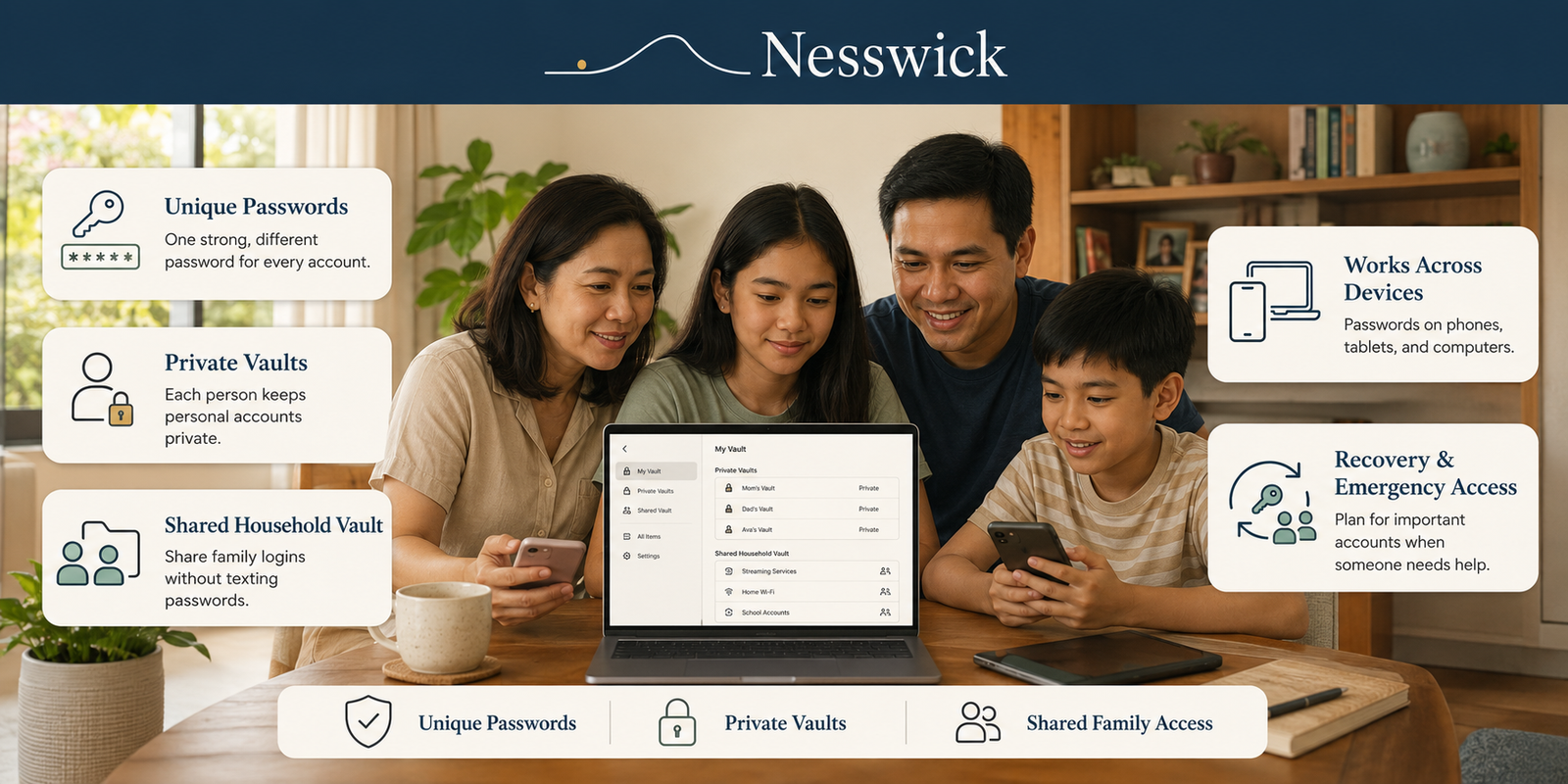
Password Manager Benefits: Why Your Family Needs One
Most families run on a small handful of passwords. A favorite one used almost everywhere, maybe a notebook by the computer, and whatever the web browser has quietly saved. It works, right up until it doesn’t.
If you have ever hesitated at the idea of a password manager, thinking you will just remember them or the browser has it covered, this is written for you. No lecture, no scare story, just the calm case for one of the few worthwhile changes a family can make.
Short Answer
A password manager helps a family use unique passwords without having to remember them all, keeps private and shared logins organized, and makes recovery and access easier to manage. It does not guarantee safety, but it can remove several of the habits that create avoidable risk.
The main password manager benefits for a household are practical rather than dramatic: fewer resets, fewer reused passwords, less password-by-text-message, and a clearer plan for what happens when the person who set everything up is unavailable.
What a Password Manager Actually Does
A reputable password manager is a vault app designed to store login credentials in an encrypted vault and fill them in when needed. In everyday use it does four things:
- Generates a long random password on demand, so password generation stops being something you do in your head.
- Stores login information, notes, recovery codes, and sometimes payment cards.
- Fills them in on websites and in apps, across multiple devices.
- Flags problems, such as passwords that are weak, reused, or exposed in known data breaches.
You unlock the password vault with one strong master password, and it handles the rest.
Official guidance now assumes people work this way. The current NIST digital identity guidelines (SP 800-63B-4, July 2025) tell services they must allow password managers and autofill, and should permit pasting into password fields so managers work properly. The same guidance drops forced periodic changes and character-mixing rules, and asks services to check new passwords against lists of known compromised ones. The modern direction is away from arbitrary complexity rules and toward longer, unique passwords that password managers can generate and remember for you. CISA puts it more simply: use a password manager to generate strong passwords and keep them stored securely.
Why Password Reuse Is the Real Family Problem
The real problem is not weak passwords so much as reused ones.
When the same password protects your email, your shopping account, and a forum somebody joined years ago, one leak can hand someone the key to the others. Attackers take credentials exposed in one breach and try them automatically across other popular services, which is how a single exposed password becomes several open online accounts. Breaches happen at companies, not in your living room, so this part is largely outside your control.
The FTC’s consumer guidance makes the same point from the other direction: if you reused a password, or something similar, you have to change it everywhere, not just on the account that leaked. Anyone who has done that for a family of four knows how long an evening it can take.
A password manager addresses this at the root. Unique passwords stop being a chore you keep meaning to get to and become the default, because the app creates and remembers them for you.
Why Families Benefit More Than Individuals
One person with a password manager gets tidier logins. A household gets more, because a family’s credentials are not one neat pile. They are three overlapping ones:
- Shared household accounts. Streaming services, the Wi-Fi password, utilities, the shopping account everyone orders from, sometimes travel and school portals.
- Private accounts. Each person’s email, bank account, messaging, and social logins.
- Accounts managed on someone else’s behalf, such as a parent handling a child’s school login, or an adult helping an older relative who would rather not become a security expert.
Handled informally, all three end up in the same place: a text thread, a shared note, or one person’s memory. A manager lets you keep them separate on purpose.
Shared Logins Without Texting Passwords
The benefit most families notice first is the end of “what’s the streaming password again?”
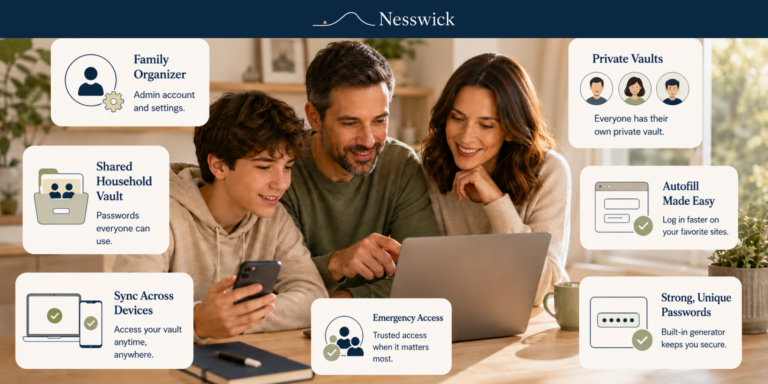
Password managers handle this with shared vaults, sometimes called collections or groups. Household logins go in one, all family members have access, and when a shared password changes it changes for everybody at once.
Feature names and limits vary by provider, so check the official documentation rather than a review site. As documented by each: 1Password Families gives each member a private vault plus a shared vault for items like Wi-Fi credentials. Proton Pass shared vaults give all members access to the logins, passwords, and notes stored in them, while members keep private vaults. Bitwarden offers a Families organization for up to six people with unlimited sharing between them.
Secure sharing this way is also easier to undo than a text message. For the longer version, including what to do about credentials already shared informally, see our guide on how to share passwords safely with family.
Private Vaults for Each Person
Shared access should not mean total access. A good family setup separates each person’s private credentials from household ones by default: a private vault per person, plus shared vaults everyone can reach.
A teenager’s messaging account and a parent’s banking login do not belong in the same pile as the Wi-Fi password. Setting that boundary at the start also means adding a family member later does not quietly grant access to everything that came before.
Recovery and Emergency Access
This is the benefit families underrate, and the one that matters most on a bad day. If the person who organizes the household accounts is ill, traveling, or unreachable, someone still has to get into the utilities account. Password managers offer two different approaches:
- Account recovery by a family organizer. In 1Password, a family organizer can recover another member’s account if they forget their account password or lose their Secret Key. The member gets a new Secret Key, creates a new account password, keeps their existing data, and signs in again on every device. Their two-factor authentication is reset in the process. 1Password recommends having at least two people able to recover accounts.
- Emergency access by a trusted contact. Bitwarden’s Emergency Access works differently. You nominate a trusted contact, choose view or takeover access, and set a wait time. If they request access and you do not respond within that window, access is granted. It is available to premium users, including members of paid Families organizations.
Two honest caveats. Not every provider can recover a forgotten master password, because several are built so the company cannot read or reset your vault at all. And these features vary in name, scope, and price, so confirm what your manager offers before relying on it.
Convenience Across Phones, Tablets, and Computers
Security aside, a manager is less stressful. No resetting a forgotten password before you can pay a bill, no thumb-typing a twenty-character password on a phone, no sticky note on the monitor. Passwords fill in when you need them and stay out of the way otherwise.
For households that are not all on the same platform, and most are not, this is where a dedicated manager pulls ahead of anything built into a single company’s ecosystem. Expect a learning curve of a day or two, then it becomes invisible.
Browser Password Manager vs Dedicated Manager
Why use a password manager at all when web browsers already save your logins? Because the two are not quite the same tool, and the gap matters more for a household than for one person.
Browser password managers are not unsafe, and it is worth being fair about how much they have improved. They are a real step up from reusing one password everywhere.
What the built-in options now do, according to their own documentation:
- Google Password Manager saves passwords to your Google Account for use across devices and apps, offers on-device encryption, and includes a Password Checkup for exposed or weak entries. Sharing is supported, but Google documents that you can only share a password with a member of your family group.
- Apple’s Passwords app supports shared groups. Apple documents that you can share passwords or passkeys with anyone in your contacts, and that everyone in the group can change what is shared.
- Microsoft Password Manager in Edge added saving and syncing passkeys across devices in November 2025.
So the honest comparison is not safe versus unsafe. It is fit. Dedicated password managers built for households may offer broader cross-platform support, more granular sharing, recovery options, and storage beyond logins, depending on the provider and plan.
If your whole household is on one platform and nobody needs more than simple sharing, the built-in manager may be enough. If not, a dedicated one usually fits better.
Free vs Paid Family Plans
Payment is not automatically necessary, which is worth saying plainly because most articles skip past it.
Capable free password managers exist and are a complete answer for many people. Bitwarden’s free plan stores unlimited logins, notes, cards, and identities for one person, and its free organization allows sharing with one other person across up to two collections, which covers a couple or a parent-and-teen setup.
Paid family plans generally add household-scale sharing, member management, emergency access or organizer-led recovery, and extra storage. They suit households that want everyone organized under one roof, and they are unnecessary for households that do not. Starting matters more than the free-versus-paid choice, and you can change your mind later. Our guide to the best free password manager and when to upgrade works through where the line usually falls.
On passkeys: several managers now store and fill them alongside existing passwords, and Apple’s Passwords app can share them within a group. Support varies by provider, platform, and site, so treat passkeys as something a good manager increasingly helps with rather than a finished replacement for passwords.
What a Password Manager Does Not Solve
No tool removes all risk. A manager does not by itself protect against:
- Phishing, if someone is persuaded to enter credentials on a convincing fake site. Autofill helps a little, because a manager will not usually offer to fill a login on the wrong domain, but it is not a guarantee.
- Malware on a device, which can capture activity regardless of where the password came from.
- Weak recovery elsewhere. If your email can be taken over, many other accounts can be reset through it.
- Credentials shared outside the manager, in a text, a photo, or a note.
- A weak master password, the one password that still has to be strong and memorable.
- Skipping two-factor authentication, both on important accounts and on the manager itself, where turning it on is sensible if your provider offers it.
The common worry is putting all your eggs in one basket. It is a fair instinct. The practical trade-off is that a reputable manager concentrates credentials in one protected vault, while making it much easier to use a different password for every account. No provider is immune to being breached, so the goal is risk reduction rather than a guarantee.
When a Family Password Manager Is Worth It
It is usually worth it when at least one of these is true:
- More than one person needs the same login, and it currently travels by text.
- Somebody reuses a password across accounts that matter.
- You would struggle to reach an important household account if one person were unavailable.
- The family runs on more than one operating system.
- You are helping an older relative or a child manage accounts they would rather not think about.
If none apply and one person handles everything on one platform, the built-in browser option may be enough for now. When you are ready for the practical steps, our guide on how to set up a family password manager walks through it.
Frequently Asked Questions
Isn’t it risky to keep all my passwords in one place?
A reputable manager protects that vault with encryption and lets every account have its own unique password, which helps contain the damage when a single service is breached. No provider can promise it will never be attacked, so the realistic comparison is against what most households do now: one reused password guarding everything.
What are the benefits of using a password manager if my browser already saves passwords?
Browser managers are a reasonable start and now include breach checks and limited family sharing. A dedicated manager usually adds broader cross-platform coverage, separate shared and private vaults, emergency or organizer-led recovery, and somewhere to keep recovery codes and notes. Features vary by provider, so compare what each one documents.
Should I use a password manager if my family is small?
Do you need one? Not necessarily. If one person manages everything on a single platform and nobody reuses passwords, the built-in option may cover it. The case strengthens as soon as logins need sharing, devices are mixed, or somebody would be locked out if one person were unavailable.
What happens if I forget my master password?
That depends on the provider. Some family plans let a designated organizer restore a member’s access, and some managers are built so the company cannot reset your vault at all, offering emergency access to a trusted contact instead. Check what yours supports before you need it, choose a master password that is strong but memorable, and turn on two-factor authentication for the manager where available.
Are password managers worth paying for?
Sometimes. A good free manager is a complete answer for many people, and one free plan even covers sharing between two people. Paid family plans mainly add household-scale sharing, member management, and recovery features. If you do not need those, you do not need to pay for them.
Can our family share passwords without everyone seeing everything?
Yes, and that is how most family plans are designed. Each person keeps a private vault, and shared vaults hold only the household logins everyone genuinely needs. Nothing about a family plan requires giving everyone access to everything.


Related Resources

Affiliate Disclosure
Some of the password managers referenced here may be products we earn a commission from if you sign up through our links. It never changes what we recommend or what this article says, and the free options are here for the same reason the paid ones are: because they may suit your household.
Sources and Methodology
This explainer draws on current official guidance from US agencies and on the password managers’ own documentation for any feature named. Where a feature varies by provider or plan, we describe the variation rather than generalizing. Nothing here is based on hands-on testing.
Sources Referenced
- NIST Special Publication 800-63B-4, Digital Identity Guidelines: Authentication and Authenticator Management
- CISA, Use Strong Passwords
- FTC Consumer Advice, Creating Strong Passwords and Other Ways To Protect Your Accounts
- Google Help, Manage your passwords in Chrome
- Apple Support, Share passwords or passkeys with people you trust
- Microsoft Edge Blog, Passkey saving and syncing with Microsoft Password Manager
- Bitwarden Help, Password Manager Plans
- Bitwarden Help, Emergency Access
- 1Password Support, About 1Password Families
- 1Password Support, Recover accounts for family or team members
- Proton Support, Pass Family user guide